




最新下载


热门教程
- 1
- 2
- 3
- 4
- 5
- 6
- 7
- 8
- 9
- 10
多 Agent 并行和 Headless 模式:让 Claude Code 效率翻10倍
时间:2026-07-10 08:58:47 编辑:袖梨 来源:一聚教程网
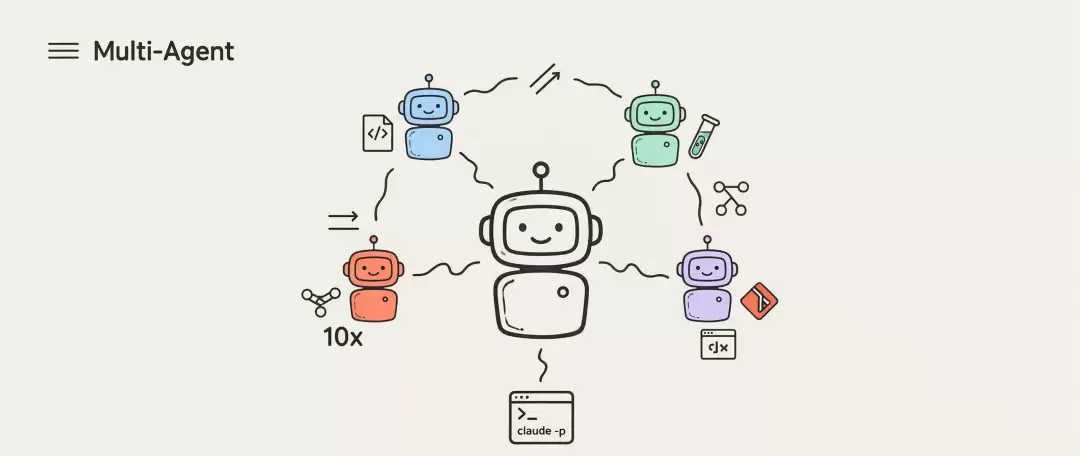
用多 Agent 并行与 Headless 模式,将 Claude Code 的代码处理效率提升一个数量级,无缝集成至开发工作流。核心内容:1. 四种并行 Agent 模式及其适用场景对比2. Subagents 作为轻量级助理团的具体功能与应用3. Headless 模式如何嵌入 CI/CD 实现自动化
# Security Auditor
你是一个安全审计专家。检查代码时重点关注:
- SQL 注入风险
- XSS 漏洞
- 硬编码的密钥和凭证
- 不安全的依赖版本
输出格式:按严重程度分为 Critical / High / Medium / Low,每项给出文件路径和修复建议。
export CLAUDE_CODE_EXPERIMENTAL_AGENT_TEAMS=1
claude
# 最基本的 Headless 用法:管道输入 + 非交互执行
echo "解释这段代码的作用" | claude -p
# 读取文件并分析
cat error.log | claude -p "分析这个错误日志,找出根因"
# Git Diff Review
git diff main...HEAD | claude -p "Review 这个 PR 的改动,关注潜在 Bug"
# 输出为 JSON
claude -p "列出项目中所有 TODO 注释" --output-format json
# 用 JSON Schema 约束输出格式,确保下游程序可解析
claude -p "分析 package.json 的依赖" --json-schema '{
  "type": "object",
  "properties": {
    "outdated": {
      "type": "array",
      "items": {
        "type": "object",
        "properties": {
          "name": { "type": "string" },
          "current": { "type": "string" },
          "latest": { "type": "string" },
          "risk": { "enum": ["low", "medium", "high"] }
        }
      }
    }
  }
}'
claude -p "检查代码中的安全漏洞" --bare
# 继续上一次对话
claude -p "继续上次的分析" --continue
# 恢复指定会话
claude -p "补充一下测试覆盖率的建议" --resume
# 完全不询问权限,适合无人值守的 CI
claude -p "运行测试并报告结果" --permission-mode dontAsk
# 自动允许文件编辑,但其他操作仍需确认
claude -p "重构 utils 目录" --permission-mode acceptEdits
# 只允许使用指定工具
claude -p "检查代码风格" --allowedTools "Read,Glob,Grep"
# .github/workflows/claude-review.yml
name: Claude Code Review
on:
  pull_request:
    types: [opened, synchronize]
jobs:
  review:
    runs-on: ubuntu-latest
    steps:
      - uses: actions/checkout@v4
        with:
          fetch-depth: 0
      - name: Setup Claude Code
        run: npm install -g @anthropic-ai/claude-code
      - name: Review PR
        env:
          ANTHROPIC_API_KEY: ${{ secrets.ANTHROPIC_API_KEY }}
        run: |
          git diff origin/main...HEAD | claude -p
            "你是一位资深 Code Reviewer。请从以下维度审查这个 PR:
             1. 潜在的 Bug 和边界情况
             2. 性能隐患
             3. 安全风险
             4. 代码风格和可维护性
             输出中文,按严重程度排序。"
            --output-format text > review.md
      - name: Post Review Comment
        uses: actions/github-script@v7
        with:
          script: |
            const fs = require('fs');
            const review = fs.readFileSync('review.md', 'utf8');
            await github.rest.issues.createComment({
              owner: context.repo.owner,
              repo: context.repo.repo,
              issue_number: context.issue.number,
              body: `## ? Claude Code Reviewnn${review}`
            });
# 在 Release 流程中自动生成变更日志
- name: Generate Changelog
  env:
    ANTHROPIC_API_KEY: ${{ secrets.ANTHROPIC_API_KEY }}
  run: |
    git log v${{ env.PREV_VERSION }}..HEAD --oneline |
    claude -p
      "根据以下 Git 提交记录,生成一份结构化的 Changelog。
       分为 Features、Bug Fixes、Breaking Changes、Performance 四类。
       每条用一句话描述,面向用户而非开发者。"
      --json-schema '{
        "type": "object",
        "properties": {
          "features": { "type": "array", "items": { "type": "string" } },
          "bug_fixes": { "type": "array", "items": { "type": "string" } },
          "breaking_changes": { "type": "array", "items": { "type": "string" } },
          "performance": { "type": "array", "items": { "type": "string" } }
        }
      }' > changelog.json
{
  "scripts": {
    "lint:ai": "git diff --cached | claude -p '检查暂存区的代码变更,指出潜在的逻辑错误、类型问题和不良实践。如果没有问题,输出 LGTM。' --bare --permission-mode dontAsk",
    "precommit:ai": "claude -p '快速审查即将提交的变更,只输出 Critical 和 High 级别的问题' --bare --allowedTools 'Read,Glob,Grep'"
  }
}
# 第一步:分析
- name: Analyze
  run: |
    claude -p "分析项目结构,列出最需要重构的 3 个模块"
      --output-format json > analysis.json
# 第二步:基于分析结果执行(通过 session 延续上下文)
- name: Execute Refactor
  run: |
    claude -p "根据上次的分析,开始重构排名第一的模块,确保测试通过"
      --continue --permission-mode acceptEdits
# Python
pip install claude-agent-sdk
# TypeScript / Node.js
npm install @anthropic-ai/claude-agent-sdk
from claude_agent_sdk import Agent
agent = Agent(
    model="claude-sonnet-4-20250514",
    instructions="你是一个数据库迁移助手...",
    tools=["read_file", "write_file", "execute_sql"]
)
result = await agent.run("将 users 表从 MySQL 迁移到 PostgreSQL")