




最新下载










热门教程
- 1
- 2
- 3
- 4
- 5
- 6
- 7
- 8
- 9
- 10
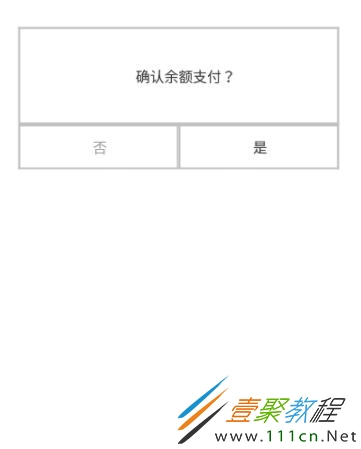
自定义AlertDialog去除黑色背景的解决方法
时间:2022-06-25 22:52:52 编辑:袖梨 来源:一聚教程网
主要注意的是在资源引用的地方
AlertDialog.Builder(this,R.style.dialogNoBg).create();
这里要自定义sytle
如果引用后还是没效果,
在自定义的布局里面根Layout布局背景设置为”#00000000”
源代码:
private AlertDialog dialog;

 private void showdialogCashOut() {
 dialog = new AlertDialog.Builder(this,R.style.dialogNoBg).create();
 View view = View.inflate(this, R.layout.cash_see_out_dialog, null);
 dialog.getWindow().setContentView(view);
 TextView tv_money = (TextView) dialog.findViewById(R.id.tv_money);
 tv_money.setText(Html.fromHtml("注意:"+getResources().getString(R.string.cash_out_dialog)));
 TextView cancle_ye = (TextView) view.findViewById(R.id.dialog_cancel);
 cancle_ye.setOnClickListener(new View.OnClickListener() {
  @Override
  public void onClick(View view) {
  dialog.dismiss();
  }
 });
 TextView yes_ye = (TextView) view.findViewById(R.id.dialog_yes);
 yes_ye.setOnClickListener(new View.OnClickListener() {
  @Override
  public void onClick(View view) {
  dialog.dismiss();
  }
 });

 }
相关文章
- 植物大战僵尸杂交版金盏吸金磁能力解析 07-26
- 异梦残响晏景明详细介绍 异梦残响晏景明属性技能 07-26
- 逆战未来怪物血条数值详解 07-26
- 原神6.3奇馈宝箱位置在哪 奇馈宝箱位置大全 07-26
- 逆战未来新手游戏界面设置指南 07-26
- 鹅鸭杀地图及模式解锁问答一览 07-26