




最新下载










热门教程
- 1
- 2
- 3
- 4
- 5
- 6
- 7
- 8
- 9
- 10
android实现一个图片验证码倒计时功能
时间:2022-06-25 23:12:37 编辑:袖梨 来源:一聚教程网
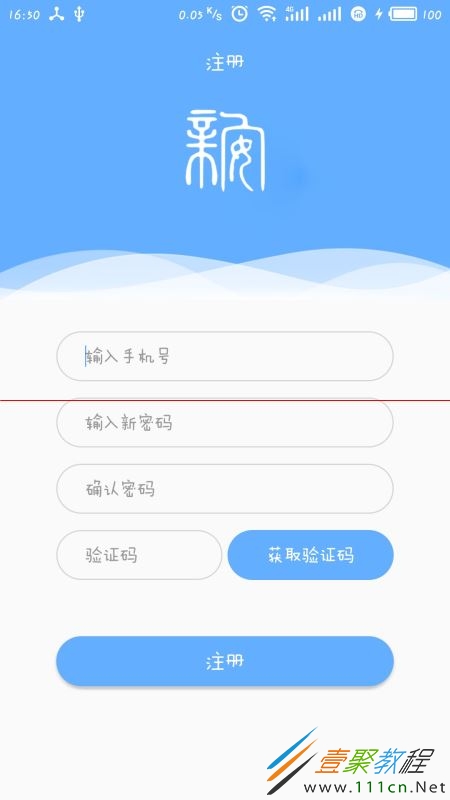
1.如图所示,要实现一个验证码的倒计时的效果


2.实现
图中获取验证码那块是一个button按钮
关键部分,声明一个TimeCount,继承自CountDownTimer
/*验证码倒计时*/
private class TimeCount extends CountDownTimer{
  /**
   * @param millisInFuture  总时间长度(毫秒)
   * @param countDownInterval 时间间隔(毫秒),每经过一次时间间隔都会调用onTick方法
   */
  public TimeCount(long millisInFuture, long countDownInterval) {
    super(millisInFuture, countDownInterval);
  }
  @Override
  public void onTick(long millisUntilFinished) {   //倒计时状态
    getVerificationCodeBtn.setClickable(false);     //设置button此时不可点击
    getVerificationCodeBtn.setBackground(getResources().getDrawable(R.drawable.get_verification_code_waitting_bg));//修改button的背景
    getVerificationCodeBtn.setTextColor(getResources().getColor(R.color.black));//修改button的textColor
    getVerificationCodeBtn.setText(millisUntilFinished / 1000 +"s后可重新发送");//显示button的倒计时文字
  }
  @Override
  public void onFinish() {      //倒计时结束状态
    getVerificationCodeBtn.setBackground(getResources().getDrawable(R.drawable.login_btn_bg));
    getVerificationCodeBtn.setTextColor(getResources().getColor(R.color.white));
    getVerificationCodeBtn.setClickable(true);   //重新设置button为可点击
    getVerificationCodeBtn.setText("重新获取");   //修改button的文字
  }
}
最后在代码中,声明TimeCount并实例化,在button的点击事件中调用.start()方法启动定时器。
  TimeCount timeCount = new TimeCount(60000,1000);
  timeCount.start();
相关文章
- 植物大战僵尸杂交版金盏吸金磁能力解析 07-26
- 异梦残响晏景明详细介绍 异梦残响晏景明属性技能 07-26
- 逆战未来怪物血条数值详解 07-26
- 原神6.3奇馈宝箱位置在哪 奇馈宝箱位置大全 07-26
- 逆战未来新手游戏界面设置指南 07-26
- 鹅鸭杀地图及模式解锁问答一览 07-26