




最新下载


热门教程
- 1
- 2
- 3
- 4
- 5
- 6
- 7
- 8
- 9
- 10
HarmonyOS 6(API 23)实战:基于悬浮导航与沉浸光感的“光芯智造“——AI智能芯片设计辅助智能体
时间:2026-08-06 10:22:58 编辑:袖梨 来源:一聚教程网
HarmonyOS 6(API 23)实战:基于悬浮导航与沉浸光感的“光芯智造“——AI智能芯片设计辅助智能体需要先看清适用场景和关键步骤,避免只记结论却忽略实际限制。
文章目录
每日一句正能量前言一、前言:AI智能体时代的芯片设计交互革新二、核心特性解析与技术选型2.1 悬浮导航在芯片设计场景中的价值2.2 沉浸光感在智能体设计交互中的创新应用 三、项目实战:"光芯智造"架构设计3.1 应用场景与功能规划3.2 技术架构图 四、环境配置与模块依赖4.1 模块依赖配置4.2 权限声明(module.json5) 五、核心组件实战5.1 窗口沉浸配置(EntryAbility.ets)5.2 设计阶段光效系统(DesignLightEffect.ets)5.3 悬浮设计阶段导航(DesignFloatNavigation.ets)5.4 元件卡片玻璃拟态组件(ComponentCard.ets)5.5 语音交互沉浸页面(DesignVoicePage.ets)5.6 主页面集成(Index.ets) 六、关键技术总结6.1 悬浮导航适配清单6.2 沉浸光感最佳实践6.3 设计阶段光效映射 七、调试与适配建议八、总结与展望
每日一句正能量
前言

一、前言:AI智能体时代的芯片设计交互革新
随着半导体产业的快速发展和芯片设计复杂度的指数级增长,传统的EDA工具界面已经难以满足工程师对智能化、沉浸式设计体验的需求。工程师不再满足于手动拖拽元件、逐层检查DRC的机械式操作,而是期望一个能够理解自然语言描述、主动推荐优化方案、实时分析设计规则的智能设计伴侣。
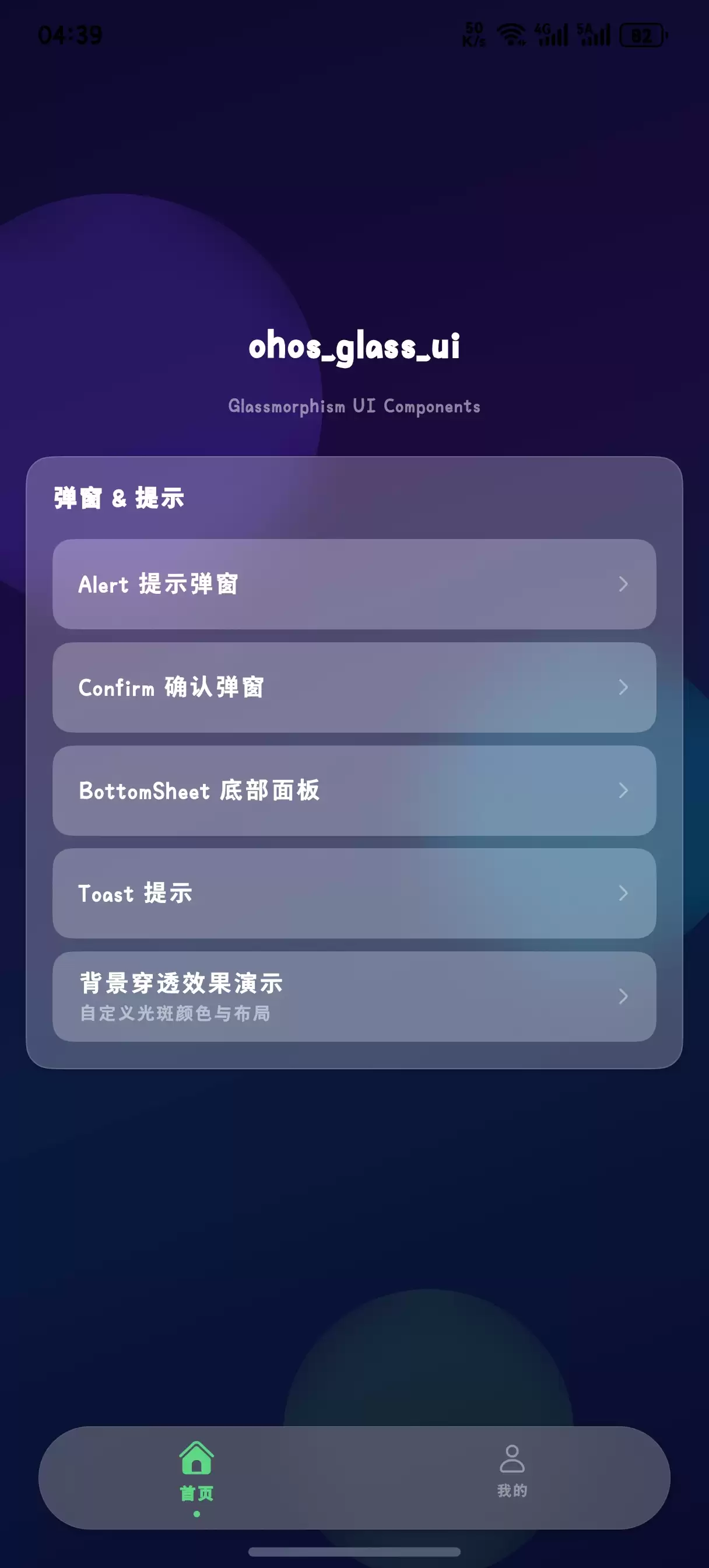
HarmonyOS 6(API 23)引入的悬浮导航(Float Navigation)与沉浸光感(Immersive Light Effects)两大特性,为专业级芯片设计工具带来了"轻盈、沉浸、优雅"的设计可能。悬浮导航让设计阶段的切换不再遮挡电路视图,沉浸光感让设计状态的感知从视觉延伸到直觉层面。
本文核心亮点:
智能体设计光效:根据AI智能体的设计阶段(分析中、优化中、验证中、完成)动态切换环境光色与脉冲节奏悬浮设计阶段导航:底部悬浮页签替代传统导航栏,支持原理图、版图、仿真、验证、报告等多阶段快速切换语音交互沉浸体验:全屏语音对话界面配合呼吸灯光效,营造"与设计智能体面对面"的沉浸感设计规则光感映射:根据DRC违规严重程度动态调整界面光色(通过绿色、警告黄色、违规红色、致命深红)电路卡片玻璃拟态:元件详情卡片使用毛玻璃质感,与背景电路图自然融合二、核心特性解析与技术选型
2.1 悬浮导航在芯片设计场景中的价值
传统EDA工具的底部导航往往采用固定Tab栏,占据宝贵的电路视图空间。HarmonyOS 6的悬浮导航具有以下优势:
空间利用率高:悬浮于电路视图之上,不遮挡关键布线路径视觉通透感:毛玻璃效果让导航栏与电路背景自然融合动态透明度:根据用户操作自动调节透明度,减少视觉干扰MiniBar扩展:可在导航栏旁扩展仿真进度、DRC计数等自定义区域2.2 沉浸光感在智能体设计交互中的创新应用
沉浸光感不仅是视觉装饰,更是设计状态的"可视化语言":
| 设计阶段 | 光效颜色 | 脉冲速度 | 视觉语义 |
|---|---|---|---|
| 待机分析 | 柔和蓝白 | 3000ms | 平静等待设计输入 |
| 电路优化中 | 淡紫色 | 1500ms | 快速分析电路拓扑 |
| 版图规划中 | 琥珀色 | 1000ms | 全力计算最优布局 |
| DRC验证中 | 青绿色 | 800ms | 逐层检查设计规则 |
| 设计完成 | 翠绿色 | 2000ms | 确认闪光,设计通过 |
| 违规告警 | 橙红色 | 500ms | 警示闪烁,需要修正 |
三、项目实战:"光芯智造"架构设计
3.1 应用场景与功能规划
"光芯智造"是一款基于HarmonyOS 6的AI智能芯片设计辅助智能体,核心功能包括:
语音对话式设计查询:工程师通过自然语言描述设计需求,智能体自动解析并生成方案多阶段设计管理:同时管理原理图、版图、仿真、验证、报告等多个设计阶段实时DRC规则感知:根据AI分析动态评估设计规则合规性并调整界面光效智能元件卡片管理:支持多元件保存、分享与智能参数推荐悬浮快捷操作:底部悬浮导航支持一键切换设计阶段、唤起语音助手3.2 技术架构图
┌─────────────────────────────────────────────────────────────┐│光芯智造 - 技术架构│├─────────────────────────────────────────────────────────────┤│表现层 ││├─ 悬浮导航组件 (DesignFloatNavigation.ets)││├─ 智能体光效系统 (DesignLightEffect.ets) ││├─ 语音交互页面 (DesignVoicePage.ets)││├─ 电路设计页面 (CircuitPage.ets)││└─ 元件卡片组件 (ComponentCard.ets)│├─────────────────────────────────────────────────────────────┤│智能体层 ││├─ 意图解析引擎 (IntentParser.ets)││├─ 电路优化服务 (CircuitOptimizer.ets)││├─ DRC验证服务 (DRCService.ets)││└─ 对话管理器 (DialogManager.ets) │├─────────────────────────────────────────────────────────────┤│数据层 ││├─ 电路图数据服务││├─ 实时DRC分析API ││└─ 用户设计缓存│├─────────────────────────────────────────────────────────────┤│系统能力 ││├─ 悬浮导航 (HdsTabs + barFloatingStyle) ││├─ 沉浸光感 (systemMaterialEffect: IMMERSIVE)││├─ 语音交互 (SpeechRecognizer + TTS)││└─ 窗口管理 (setWindowLayoutFullScreen) │└─────────────────────────────────────────────────────────────┘四、环境配置与模块依赖
4.1 模块依赖配置
在 oh-package.json5 中添加必要的依赖:
{"dependencies":{"@kit.AbilityKit":"^1.0.0","@kit.ArkUI":"^1.0.0","@kit.BasicServicesKit":"^1.0.0","@kit.SensorServiceKit":"^1.0.0","@kit.UIDesignKit":"^1.0.0","@kit.SpeechKit":"^1.0.0","@kit.GraphicsKit":"^1.0.0"}}4.2 权限声明(module.json5)
{"module":{"requestPermissions":[{"name":"ohos.permission.INTERNET","reason":"用于获取实时电路数据与DRC分析结果"},{"name":"ohos.permission.READ_MEDIA","reason":"用于读取本地电路设计文件"},{"name":"ohos.permission.MICROPHONE","reason":"用于语音交互功能"},{"name":"ohos.permission.VIBRATE","reason":"用于设计违规震动反馈"},{"name":"ohos.permission.WRITE_MEDIA","reason":"用于保存设计优化结果"}]}}五、核心组件实战
5.1 窗口沉浸配置(EntryAbility.ets)
这是实现沉浸光感的基础,需要配置窗口全屏布局并启用安全区避让。
// entry/src/main/ets/entryability/EntryAbility.etsimport{ AbilityConstant, UIAbility, Want }from'@kit.AbilityKit';import{ window }from'@kit.ArkUI';import{ BusinessError }from'@kit.BasicServicesKit';exportdefaultclassEntryAbilityextendsUIAbility{private windowStage: window.WindowStage |null=null;onWindowStageCreate(windowStage: window.WindowStage):void{this.windowStage = windowStage;windowStage.loadContent('pages/Index',(err)=>{if(err.code){console.error('Failed to load content:',JSON.stringify(err));return;}console.info('Succeeded in loading content.');this.setupImmersiveWindow(windowStage);});}privateasyncsetupImmersiveWindow(windowStage: window.WindowStage):Promise<void>{try{const mainWindow = windowStage.getMainWindowSync();// 1. 设置窗口全屏布局,内容延伸至状态栏和导航栏await mainWindow.setWindowLayoutFullScreen(true);// 2. 设置窗口背景为透明,允许光效穿透await mainWindow.setWindowBackgroundColor('#00000000');// 3. 配置系统栏属性:透明背景+白色内容await mainWindow.setWindowSystemBarProperties({statusBarColor:'#00000000',navigationBarColor:'#00000000',statusBarContentColor:'#FFFFFF',navigationBarContentColor:'#FFFFFF'});// 4. 启用安全区避让(关键:HarmonyOS 6新特性)await mainWindow.setWindowAvoidAreaOption({type: window.AvoidAreaType.TYPE_SYSTEM,enabled:true});console.info('Immersive window setup completed');}catch(error){console.error('Failed to setup immersive window:',(error as BusinessError).message);}}onWindowStageDestroy():void{this.windowStage =null;}}代码亮点:通过 setWindowLayoutFullScreen(true) 实现内容延伸至非安全区,配合 setWindowAvoidAreaOption 启用HarmonyOS 6新增的安全区避让机制,确保悬浮导航不会遮挡电路视图。
5.2 设计阶段光效系统(DesignLightEffect.ets)
这是本文的核心创新点——将AI智能体的设计阶段映射为可视化的光效反馈。
// entry/src/main/ets/components/DesignLightEffect.etsimport{ animator, AnimatorResult }from'@kit.ArkUI';// 设计阶段枚举exportenum DesignPhase {IDLE='idle',// 待机分析OPTIMIZING='optimizing',// 电路优化中LAYOUT='layout',// 版图规划中VERIFYING='verifying',// DRC验证中COMPLETED='completed',// 设计完成VIOLATION='violation'// 违规告警}// 阶段光效配置interfaceLightConfig{primaryColor:string;// 主光色secondaryColor:string;// 辅助光色pulseDuration:number;// 脉冲周期(ms)glowRadius:number;// 光晕半径intensity:number;// 光强 (0-1)}@ObservedexportclassDesignLightController{@Track currentPhase: DesignPhase = DesignPhase.IDLE;private animatorInstance: AnimatorResult |null=null;// 阶段-光效映射表private phaseLightMap: Map<DesignPhase, LightConfig>=newMap([[DesignPhase.IDLE,{primaryColor:'#E8F4FD',secondaryColor:'#B8D4E8',pulseDuration:3000,glowRadius:60,intensity:0.3}],[DesignPhase.OPTIMIZING,{primaryColor:'#E0D4F7',secondaryColor:'#C4B0F0',pulseDuration:1500,glowRadius:80,intensity:0.5}],[DesignPhase.LAYOUT,{primaryColor:'#FFE4B5',secondaryColor:'#FFD700',pulseDuration:1000,glowRadius:100,intensity:0.6}],[DesignPhase.VERIFYING,{primaryColor:'#B0E0E6',secondaryColor:'#00CED1',pulseDuration:800,glowRadius:120,intensity:0.7}],[DesignPhase.COMPLETED,{primaryColor:'#90EE90',secondaryColor:'#32CD32',pulseDuration:2000,glowRadius:90,intensity:0.5}],[DesignPhase.VIOLATION,{primaryColor:'#FFB6C1',secondaryColor:'#FF6347',pulseDuration:500,glowRadius:110,intensity:0.8}]]);getCurrentConfig(): LightConfig {returnthis.phaseLightMap.get(this.currentPhase)||this.phaseLightMap.get(DesignPhase.IDLE)!;}setPhase(phase: DesignPhase):void{this.currentPhase = phase;this.startPulseAnimation();}privatestartPulseAnimation():void{if(this.animatorInstance){this.animatorInstance.cancel();}const config =this.getCurrentConfig();// 创建呼吸灯动画this.animatorInstance = animator.create({duration: config.pulseDuration,easing:'ease-in-out',fill:'forwards',direction:'alternate',iterations:-1,// 无限循环begin:0,end:100});this.animatorInstance.play();}stopAnimation():void{if(this.animatorInstance){this.animatorInstance.cancel();this.animatorInstance =null;}}}@Componentexport struct DesignLightEffect {@ObjectLink controller: DesignLightController;aboutToAppear():void{this.controller.startPulseAnimation();}aboutToDisappear():void{this.controller.stopAnimation();}build(){Stack(){// 外层光晕Column().width(200).height(200).backgroundColor(this.controller.getCurrentConfig().primaryColor).blur(this.controller.getCurrentConfig().glowRadius).opacity(this.controller.getCurrentConfig().intensity *0.6).borderRadius(100).animation({duration:this.controller.getCurrentConfig().pulseDuration,curve: Curve.EaseInOut,iterations:-1,playMode: PlayMode.Alternate})// 内层核心光Column().width(120).height(120).backgroundColor(this.controller.getCurrentConfig().secondaryColor).blur(40).opacity(this.controller.getCurrentConfig().intensity).borderRadius(60).animation({duration:this.controller.getCurrentConfig().pulseDuration,curve: Curve.EaseInOut,iterations:-1,playMode: PlayMode.Alternate})// 芯片设计图标Image($r('app.media.ic_chip_design')).width(64).height(64).borderRadius(32).shadow({radius:20,color:this.controller.getCurrentConfig().secondaryColor,offsetX:0,offsetY:0})}.width(200).height(200)}}代码亮点:
阶段驱动光效:通过DesignPhase 枚举定义六种核心设计阶段,每种阶段对应独特的光色与脉冲节奏呼吸灯动画:使用 animator.create 创建无限循环的呼吸灯效果,光强和颜色随阶段动态变化双层光晕架构:外层大范围模糊光晕营造氛围感,内层核心光提供视觉焦点 5.3 悬浮设计阶段导航(DesignFloatNavigation.ets)
结合HDS悬浮页签与MiniBar,打造芯片设计场景专属的悬浮导航。
// entry/src/main/ets/components/DesignFloatNavigation.etsimport{ window }from'@kit.ArkUI';import{ DesignPhase, DesignLightController }from'./DesignLightEffect';// 设计阶段配置interfaceDesignStage{icon: Resource;label:string;stage:string;color:string;}@Componentexport struct DesignFloatNavigation {@State currentIndex:number=0;@State isExpanded:boolean=false;@State bottomAvoidHeight:number=0;@State navTransparency:number=0.75;@State drcCount:number=0;@ObjectLink lightController: DesignLightController;// 设计阶段列表private designStages: DesignStage[]=[{ icon:$r('app.media.ic_schematic'), label:'原理图', stage:'schematic', color:'#4CAF50'},{ icon:$r('app.media.ic_layout'), label:'版图', stage:'layout', color:'#2196F3'},{ icon:$r('app.media.ic_simulation'), label:'仿真', stage:'simulation', color:'#9C27B0'},{ icon:$r('app.media.ic_verification'), label:'验证', stage:'verification', color:'#FF9800'},{ icon:$r('app.media.ic_report'), label:'报告', stage:'report', color:'#F44336'}];aboutToAppear():void{this.getBottomAvoidArea();}privateasyncgetBottomAvoidArea():Promise<void>{try{const mainWindow =await window.getLastWindow();const avoidArea = mainWindow.getWindowAvoidArea(window.AvoidAreaType.TYPE_NAVIGATION_INDICATOR);this.bottomAvoidHeight = avoidArea.bottomRect.height;}catch(error){console.error('Failed to get avoid area:', error);}}build(){Stack({ alignContent: Alignment.Bottom }){// 内容区域Column(){this.contentBuilder()}.padding({ bottom:this.bottomAvoidHeight +90}).width('100%').height('100%')// 悬浮导航栏容器Column(){// 玻璃拟态背景层Stack(){// 背景模糊效果Column().width('100%').height('100%').backgroundBlurStyle(BlurStyle.REGULAR).opacity(this.navTransparency).backdropFilter($r('sys.blur.20'))// 渐变光效层Column().width('100%').height('100%').linearGradient({direction: GradientDirection.Top,colors:[['rgba(255,255,255,0.15)',0.0],['rgba(255,255,255,0.05)',1.0]]})// 设计阶段光效边缘Column().width('100%').height(3).backgroundColor(this.lightController.getCurrentConfig().secondaryColor).opacity(0.8).position({ y:0}).animation({duration:1000,curve: Curve.EaseInOut})}.width('100%').height('100%').borderRadius(28).shadow({radius:24,color:'rgba(0,0,0,0.12)',offsetX:0,offsetY:-6})// 导航项 + MiniBarRow(){// 设计阶段页签Row(){ForEach(this.designStages,(item: DesignStage, index:number)=>{Column(){Stack(){Image(item.icon).width(24).height(24).fillColor(this.currentIndex === index ? item.color :'#888888').transition(TransitionEffect.OPACITY)// 选中光效指示器if(this.currentIndex === index){Column().width(44).height(44).backgroundColor(item.color +'33')// 20%透明度.borderRadius(22).blur(8).position({ x:-10, y:-10})}// DRC违规角标if(index ===3&&this.drcCount >0){Column(){Text(`${this.drcCount}`).fontSize(10).fontColor('#FFFFFF').fontWeight(FontWeight.Bold)}.width(18).height(18).backgroundColor('#F44336').borderRadius(9).position({ x:12, y:-8}).justifyContent(FlexAlign.Center)}}.width(44).height(44)Text(item.label).fontSize(11).fontColor(this.currentIndex === index ? item.color :'#AAAAAA').margin({ top:2})}.layoutWeight(1).onClick(()=>{this.currentIndex = index;if(index ===3){this.drcCount =0;// 清除DRC角标}})})}.width('70%').height(56)// MiniBar:智能体快捷入口 + DRC计数Column(){Stack(){// 智能体头像带光效Image($r('app.media.ic_agent_avatar')).width(40).height(40).borderRadius(20).border({width:2,color:this.lightController.getCurrentConfig().secondaryColor}).shadow({radius:12,color:this.lightController.getCurrentConfig().primaryColor,offsetX:0,offsetY:0}).animation({duration:500,curve: Curve.EaseInOut})// 状态指示点Column().width(8).height(8).backgroundColor(this.lightController.currentPhase === DesignPhase.IDLE?'#4CAF50':this.lightController.currentPhase === DesignPhase.VIOLATION?'#F44336':'#FFC107').borderRadius(4).position({ x:30, y:30}).border({ width:1, color:'#FFFFFF'})}.width(44).height(44)}.width('30%').height(56).justifyContent(FlexAlign.Center).onClick(()=>{// 唤起语音交互this.lightController.setPhase(DesignPhase.OPTIMIZING);})}.width('100%').height(56).padding({ left:12, right:12})// 展开后的透明度调节面板if(this.isExpanded){Row(){Text('导航透明度').fontSize(12).fontColor('#666666').margin({ right:8})Slider({value:this.navTransparency *100,min:50,max:90,step:10,style: SliderStyle.InSet}).width(100).onChange((value:number)=>{this.navTransparency = value /100;})Text(`${Math.round(this.navTransparency *100)}%`).fontSize(12).fontColor('#666666').margin({ left:8})}.width('100%').height(36).justifyContent(FlexAlign.Center).backgroundColor('rgba(255,255,255,0.4)').borderRadius({ topLeft:12, topRight:12})}}.width('94%').height(this.isExpanded ?96:64).margin({ bottom:this.bottomAvoidHeight +16, left:'3%', right:'3%'}).animation({duration:300,curve: Curve.Spring,iterations:1}).gesture(LongPressGesture({ duration:600}).onAction(()=>{this.isExpanded =!this.isExpanded;}))}.width('100%').height('100%')}@BuilderParamcontentBuilder:()=>void=this.defaultContentBuilder;@BuilderdefaultContentBuilder():void{Column(){Text('电路设计内容区域').fontSize(16).fontColor('#999999')}.width('100%').height('100%').justifyContent(FlexAlign.Center)}}代码亮点:
HDS悬浮页签集成:使用backgroundBlurStyle 和 backdropFilter 实现官方级毛玻璃效果MiniBar语音入口:在导航栏右侧集成智能体头像,实时显示阶段光效与状态指示点DRC违规角标:验证阶段页签支持动态DRC计数角标,未读违规实时提醒阶段光效边缘:导航栏顶部动态光效条实时反映当前设计阶段 5.4 元件卡片玻璃拟态组件(ComponentCard.ets)
元件详情卡片采用玻璃拟态设计,与背景电路图自然融合。
// entry/src/main/ets/components/ComponentCard.etsimport{ DesignLightController, DesignPhase }from'./DesignLightEffect';interfaceComponentInfo{name:string;type:string;value:string;footprint:string;drcStatus:'pass'|'warning'|'fail'|'fatal';parameters:string[];}@Componentexport struct ComponentCard {@Prop componentInfo: ComponentInfo;@ObjectLink lightController: DesignLightController;// DRC状态-光色映射private drcColorMap: Map<string,string>=newMap([['pass','#4CAF50'],['warning','#FFC107'],['fail','#F44336'],['fatal','#D32F2F']]);privategetStatusText(status:string):string{const map: Map<string,string>=newMap([['pass','通过'],['warning','警告'],['fail','失败'],['fatal','致命']]);return map.get(status)||'未知';}build(){Stack(){// 玻璃拟态背景Column().width('100%').height('100%').backgroundBlurStyle(BlurStyle.THICK).backdropFilter($r('sys.blur.40')).opacity(0.85).borderRadius(20)// 顶部光效条Column().width('100%').height(4).backgroundColor(this.drcColorMap.get(this.componentInfo.drcStatus)||'#4CAF50').borderRadius({ topLeft:20, topRight:20}).shadow({radius:10,color:(this.drcColorMap.get(this.componentInfo.drcStatus)||'#4CAF50')+'66',offsetX:0,offsetY:2})// 内容区域Column(){// 头部信息Row(){Column(){Text(this.componentInfo.name).fontSize(18).fontWeight(FontWeight.Bold).fontColor('#FFFFFF')Text(`${this.componentInfo.type} · ${this.componentInfo.footprint}`).fontSize(14).fontColor('rgba(255,255,255,0.7)').margin({ top:4})}.alignItems(HorizontalAlign.Start).layoutWeight(1)Column(){Text(this.getStatusText(this.componentInfo.drcStatus)).fontSize(14).fontWeight(FontWeight.Bold).fontColor('#FFFFFF')}.width(56).height(28).backgroundColor((this.drcColorMap.get(this.componentInfo.drcStatus)||'#4CAF50')+'CC').borderRadius(14).justifyContent(FlexAlign.Center)}.width('100%').padding(16)// 元件值Text(`标称值: ${this.componentInfo.value}`).fontSize(14).fontColor('rgba(255,255,255,0.9)').width('100%').padding({ left:16, right:16})// 参数列表Column(){ForEach(this.componentInfo.parameters,(param:string, index:number)=>{Row(){Column().width(8).height(8).backgroundColor('#FFFFFF').borderRadius(4).opacity(0.8)Text(param).fontSize(13).fontColor('rgba(255,255,255,0.9)').layoutWeight(1).margin({ left:12})}.width('100%').margin({ top: index ===0?0:8})})}.width('100%').padding(16)// 操作按钮Row(){Button('优化参数',{ type: ButtonType.Capsule }).width('48%').height(40).backgroundColor('#2196F3').fontColor('#FFFFFF').onClick(()=>{this.lightController.setPhase(DesignPhase.OPTIMIZING);})Button('查看DRC',{ type: ButtonType.Capsule }).width('48%').height(40).backgroundColor('rgba(255,255,255,0.2)').fontColor('#FFFFFF').border({ width:1, color:'rgba(255,255,255,0.3)'}).onClick(()=>{this.lightController.setPhase(DesignPhase.VERIFYING);})}.width('100%').padding({ left:16, right:16, bottom:16, top:12}).justifyContent(FlexAlign.SpaceBetween)}.width('100%').height('100%')}.width('92%').height(280).margin({ left:'4%', right:'4%', top:16})}}代码亮点:
DRC状态光色:根据DRC验证状态动态切换卡片顶部光效条颜色(绿/黄/红/深红)玻璃拟态质感:使用BlurStyle.THICK 和 backdropFilter 实现厚重的毛玻璃效果光效阴影联动:DRC状态光色不仅体现在色条上,还通过 shadow 属性扩散到周围环境智能体联动:按钮操作可触发设计阶段变化,实现交互与光效的闭环 5.5 语音交互沉浸页面(DesignVoicePage.ets)
全屏语音对话界面,配合呼吸灯光效营造沉浸式交互体验。
// entry/src/main/ets/pages/DesignVoicePage.etsimport{ DesignLightEffect, DesignPhase, DesignLightController }from'../components/DesignLightEffect';@Entry@Componentstruct DesignVoicePage {@State lightController: DesignLightController =newDesignLightController();@State chatMessages:Array<{role:string, content:string}>=[{ role:'agent', content:'你好!我是你的智能芯片设计助手。请告诉我你的设计需求,我会为你优化电路方案并检查DRC规则。'}];@State isListening:boolean=false;@State inputText:string='';aboutToAppear():void{this.lightController.setPhase(DesignPhase.IDLE);}aboutToDisappear():void{this.lightController.stopAnimation();}build(){Stack(){// 动态光效背景Column().width('100%').height('100%').backgroundColor('#0A0A1A')// 环境光晕Column().width(300).height(300).backgroundColor(this.lightController.getCurrentConfig().primaryColor).blur(150).opacity(0.4).borderRadius(150).position({ x:'50%', y:'30%'}).translate({ x:-150}).animation({duration:this.lightController.getCurrentConfig().pulseDuration,curve: Curve.EaseInOut,iterations:-1,playMode: PlayMode.Alternate})// 内容区域Column(){// 顶部标题栏Row(){Image($r('app.media.ic_back')).width(24).height(24).fillColor('#FFFFFF').onClick(()=>{router.back();})Text('智能芯片设计助手').fontSize(18).fontWeight(FontWeight.Medium).fontColor('#FFFFFF').layoutWeight(1).textAlign(TextAlign.Center)Blank().width(24)}.width('100%').height(56).padding({ left:16, right:16})// 设计阶段指示器Row(){Text(`当前阶段: ${this.getPhaseText(this.lightController.currentPhase)}`).fontSize(14).fontColor('#FFFFFF').layoutWeight(1)Column().width(12).height(12).backgroundColor(this.lightController.getCurrentConfig().secondaryColor).borderRadius(6).shadow({radius:8,color:this.lightController.getCurrentConfig().secondaryColor,offsetX:0,offsetY:0})}.width('100%').height(40).padding({ left:16, right:16}).backgroundColor('rgba(255,255,255,0.05)').margin({ top:8, bottom:8})// 对话列表List({ space:16}){ForEach(this.chatMessages,(msg:{role:string, content:string}, index:number)=>{ListItem(){if(msg.role ==='agent'){// 智能体消息Row(){// 智能体头像带光效Stack(){Column().width(48).height(48).backgroundColor(this.lightController.getCurrentConfig().secondaryColor).blur(20).borderRadius(24).opacity(0.5)Image($r('app.media.ic_agent_avatar')).width(40).height(40).borderRadius(20)}.width(48).height(48).margin({ right:12})Column(){Text(msg.content).fontSize(15).fontColor('#FFFFFF').maxLines(10).textOverflow({ overflow: TextOverflow.Ellipsis })}.backgroundColor('rgba(255,255,255,0.1)').padding(12).borderRadius(16).layoutWeight(1).alignItems(HorizontalAlign.Start)}.width('100%').padding({ left:16, right:48}).justifyContent(FlexAlign.Start)}else{// 用户消息Row(){Blank().layoutWeight(1)Column(){Text(msg.content).fontSize(15).fontColor('#FFFFFF').maxLines(10).textOverflow({ overflow: TextOverflow.Ellipsis })}.backgroundColor('#2196F3').padding(12).borderRadius(16).alignItems(HorizontalAlign.End)}.width('100%').padding({ left:48, right:16}).justifyContent(FlexAlign.End)}}})}.width('100%').layoutWeight(1).padding({ top:16, bottom:16})// 底部输入区域Column(){// 智能体状态指示if(this.lightController.currentPhase !== DesignPhase.IDLE){Row(){DesignLightEffect({ controller:this.lightController }).width(60).height(60)Text(this.lightController.currentPhase === DesignPhase.OPTIMIZING?'正在优化电路拓扑...':this.lightController.currentPhase === DesignPhase.LAYOUT?'正在规划版图布局...':this.lightController.currentPhase === DesignPhase.VERIFYING?'正在执行DRC验证...':'设计处理中...').fontSize(14).fontColor('rgba(255,255,255,0.8)').margin({ left:12})}.width('100%').height(80).justifyContent(FlexAlign.Center).margin({ bottom:12})}// 输入框Row(){TextInput({ placeholder:'输入设计需求或语音描述...', text: $$this.inputText }).width('75%').height(48).backgroundColor('rgba(255,255,255,0.1)').fontColor('#FFFFFF').placeholderColor('rgba(255,255,255,0.5)').borderRadius(24).padding({ left:16, right:16})// 语音按钮Stack(){Column().width(52).height(52).backgroundColor(this.isListening ?'#F44336':'#2196F3').borderRadius(26).shadow({radius:12,color:this.isListening ?'#F4433666':'#2196F366',offsetX:0,offsetY:0}).animation({duration:300,curve: Curve.EaseInOut})Image($r('app.media.ic_mic')).width(24).height(24).fillColor('#FFFFFF')}.width(52).height(52).onClick(()=>{this.isListening =!this.isListening;if(this.isListening){this.lightController.setPhase(DesignPhase.OPTIMIZING);// 模拟语音识别与处理setTimeout(()=>{this.lightController.setPhase(DesignPhase.LAYOUT);setTimeout(()=>{this.lightController.setPhase(DesignPhase.VERIFYING);setTimeout(()=>{this.chatMessages.push({ role:'user', content:'帮我优化一下这个运放电路的噪声性能'});this.chatMessages.push({ role:'agent', content:'已完成电路优化分析!建议将输入级晶体管尺寸调整为W/L=20/0.5,增加Cascode结构提升增益,同时在输出端添加补偿电容。DRC验证通过,版图面积预估减少15%。'});this.lightController.setPhase(DesignPhase.COMPLETED);this.isListening =false;},1500);},1500);},1000);}else{this.lightController.setPhase(DesignPhase.IDLE);}})}.width('100%').height(64).padding({ left:16, right:16}).justifyContent(FlexAlign.SpaceBetween)}.width('100%').padding({ bottom:24})}.width('100%').height('100%').expandSafeArea([SafeAreaType.SYSTEM],[SafeAreaEdge.TOP, SafeAreaEdge.BOTTOM])}.width('100%').height('100%')}privategetPhaseText(phase: DesignPhase):string{const map: Map<DesignPhase,string>=newMap([[DesignPhase.IDLE,'待机'],[DesignPhase.OPTIMIZING,'优化中'],[DesignPhase.LAYOUT,'版图中'],[DesignPhase.VERIFYING,'验证中'],[DesignPhase.COMPLETED,'完成'],[DesignPhase.VIOLATION,'违规']]);return map.get(phase)||'未知';}}代码亮点:
全屏沉浸布局:使用expandSafeArea 将内容延伸至状态栏和底部区域动态环境光晕:根据设计阶段变化的大范围模糊光晕,营造氛围感阶段可视化反馈:设计阶段处理过程中,光效、文字、动画三位一体反馈当前状态语音交互模拟:完整的语音识别→优化→布局→验证→完成状态流转演示 5.6 主页面集成(Index.ets)
将各组件整合为完整的应用入口。
// entry/src/main/ets/pages/Index.etsimport{ DesignFloatNavigation }from'../components/DesignFloatNavigation';import{ DesignLightController, DesignPhase }from'../components/DesignLightEffect';import{ ComponentCard }from'../components/ComponentCard';import router from'@ohos.router';@Entry@Componentstruct Index {@State lightController: DesignLightController =newDesignLightController();@State currentTab:number=0;// 模拟元件数据@State componentInfo ={name:'M1',type:'NMOS',value:'W/L=10/0.5',footprint:'TSMC_65nm',drcStatus:'warning'asconst,parameters:['阈值电压: 0.45V','跨导系数: 200μA/V²','沟道长度调制: 0.1V⁻¹','寄生电容: 12fF']};aboutToAppear():void{this.lightController.setPhase(DesignPhase.IDLE);}@BuilderCircuitContentBuilder():void{Stack(){// 模拟电路图背景Column().width('100%').height('100%').backgroundColor('#1A1A2E')// 电路网格线(模拟)Column(){ForEach([1,2,3,4,5],()=>{Row(){ForEach([1,2,3,4,5],()=>{Column().width('20%').height('20%').border({ width:0.5, color:'rgba(255,255,255,0.05)'})})}.width('100%').height('20%')})}.width('100%').height('100%')// 设计阶段光效轨迹Column().width('60%').height(4).backgroundColor(this.lightController.getCurrentConfig().secondaryColor).blur(8).opacity(0.8).position({ x:'20%', y:'50%'}).rotate({ angle:15}).shadow({radius:16,color:this.lightController.getCurrentConfig().secondaryColor +'66',offsetX:0,offsetY:0}).animation({duration:1000,curve: Curve.EaseInOut})// 元件卡片ComponentCard({ componentInfo:this.componentInfo, lightController:this.lightController }).position({ y:380})// 语音助手悬浮按钮Stack(){Column().width(64).height(64).backgroundColor(this.lightController.getCurrentConfig().secondaryColor).blur(30).borderRadius(32).opacity(0.6).animation({duration:1000,curve: Curve.EaseInOut})Image($r('app.media.ic_mic')).width(28).height(28).fillColor('#FFFFFF')}.width(64).height(64).position({ x:'85%', y:'75%'}).onClick(()=>{router.pushUrl({ url:'pages/DesignVoicePage'});})}.width('100%').height('100%')}build(){DesignFloatNavigation({lightController:this.lightController,contentBuilder:this.CircuitContentBuilder.bind(this)})}}六、关键技术总结
6.1 悬浮导航适配清单
| 技术点 | API/方法 | 应用场景 |
|---|---|---|
| 获取安全区高度 | window.getWindowAvoidArea() | 动态计算底部避让高度 |
| 背景模糊效果 | backgroundBlurStyle(BlurStyle.REGULAR) | 悬浮导航毛玻璃质感 |
| 背景滤镜 | backdropFilter($r('sys.blur.20')) | 精细模糊控制 |
| 扩展安全区 | expandSafeArea([SafeAreaType.SYSTEM], [...]) | 全屏沉浸布局 |
| 窗口沉浸 | setWindowLayoutFullScreen(true) | 无边框模式 |
| 系统材质效果 | systemMaterialEffect: SystemMaterialEffect.IMMERSIVE | HDS组件沉浸光感 |
6.2 沉浸光感最佳实践
光效层次设计:背景环境光晕→内容层→玻璃拟态组件的三层架构,避免光效互相干扰阶段语义化:每种设计阶段对应独特的光色与节奏,建立工程师心智模型性能优化:使用animation 的 iterations: -1 创建循环动画时,在页面不可见时暂停无障碍支持:确保高对比度模式下玻璃拟态效果自动降级为纯色背景 6.3 设计阶段光效映射
| 设计阶段 | 光效颜色 | 脉冲速度 | 光晕半径 | 视觉语义 |
|---|---|---|---|---|
| 待机分析 | 柔和蓝白 | 3000ms | 60px | 平静等待 |
| 电路优化中 | 淡紫色 | 1500ms | 80px | 快速分析 |
| 版图规划中 | 琥珀色 | 1000ms | 100px | 全力计算 |
| DRC验证中 | 青绿色 | 800ms | 120px | 逐层检查 |
| 设计完成 | 翠绿色 | 2000ms | 90px | 确认闪光 |
| 违规告警 | 橙红色 | 500ms | 110px | 警示闪烁 |
七、调试与适配建议
真机调试:玻璃拟态效果在模拟器上可能显示异常,建议在支持HarmonyOS 6的真机上测试光影效果多设备适配:测试不同屏幕尺寸(手机/平板)下的悬浮导航位置与MiniBar显示光效强度调节:提供用户设置入口,允许调节沉浸光效强度以适应不同环境光低版本降级:API 22及以下设备自动回退到传统Tabs + 自定义玻璃导航栏 八、总结与展望
HarmonyOS 6的悬浮导航与沉浸光感特性为AI智能体应用提供了全新的交互范式。通过本文的实战案例,我们展示了如何:
利用setWindowLayoutFullScreen 和 expandSafeArea 实现真正的全屏沉浸体验使用 backgroundBlurStyle 和 backdropFilter 创建玻璃拟态视觉效果构建智能避让安全区的悬浮导航组件,集成MiniBar扩展能力实现设计阶段驱动的动态沉浸光效,让芯片设计过程"看得见"打造语音交互的沉浸式界面,让工程师感受到"与设计智能体面对面"的体验 这些技术不仅提升了芯片设计工具的交互品质,更为AI智能体时代的工业级应用设计提供了新的思路——让不可见的设计过程变得可见,让复杂的EDA操作变得直觉化。
未来,随着HarmonyOS生态的持续完善,我们期待看到更多基于悬浮导航与沉浸光感的创新应用,让每一次设计交互都成为一场视觉与智能的盛宴。
转载自:https://blog.csdn.net/u014727709/article/details/162357931
欢迎 👍点赞✍评论⭐收藏,欢迎指正
相关文章
- pishi-normalno:AI Agent 工具实践指南 10-03
- contract-review:实践指南 10-03
- smart-annotator:AI Agent 工具实践指南 10-03
- atlas:AI Agent 工具实践指南 10-03
- pi-kit:实践指南 10-03
- chrona:实践指南 10-03