




最新下载


热门教程
- 1
- 2
- 3
- 4
- 5
- 6
- 7
- 8
- 9
- 10
Claude Code安装并切换DeepSeek大模型的操作步骤
时间:2026-07-01 10:02:48 编辑:袖梨 来源:一聚教程网
一、准备环境
1.1、安装 Node.js
Node.js 下载地址
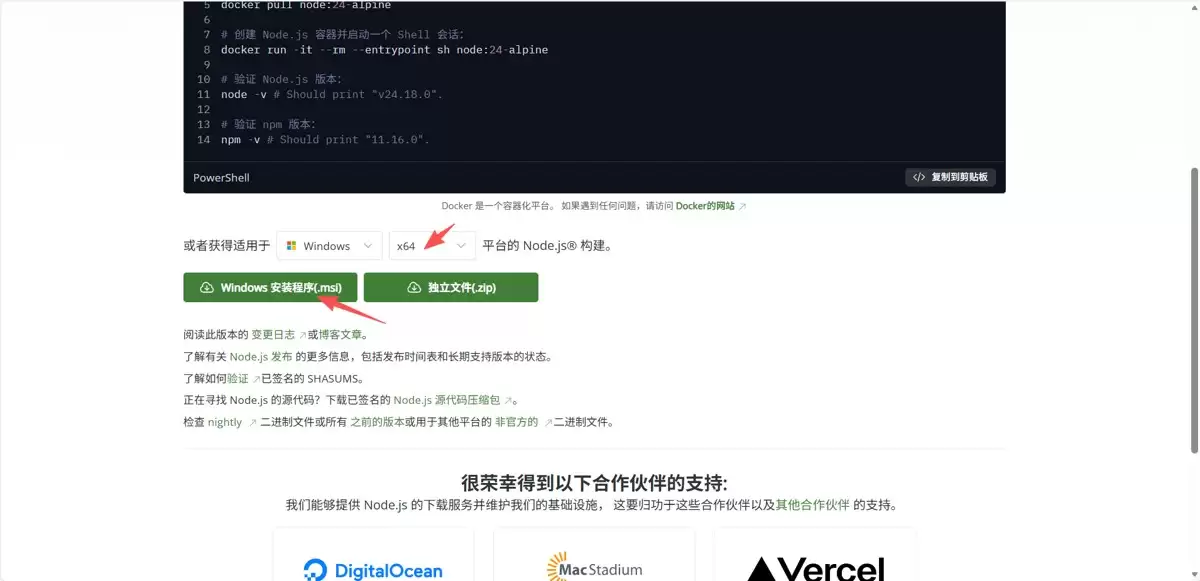
1.2、设置 node.js npm 镜像仓库
# 打开 powershell 执行这个命令
npm config set registry https://registry.npmmirror.com
1.3、安装 Git
Git 官方下载地址
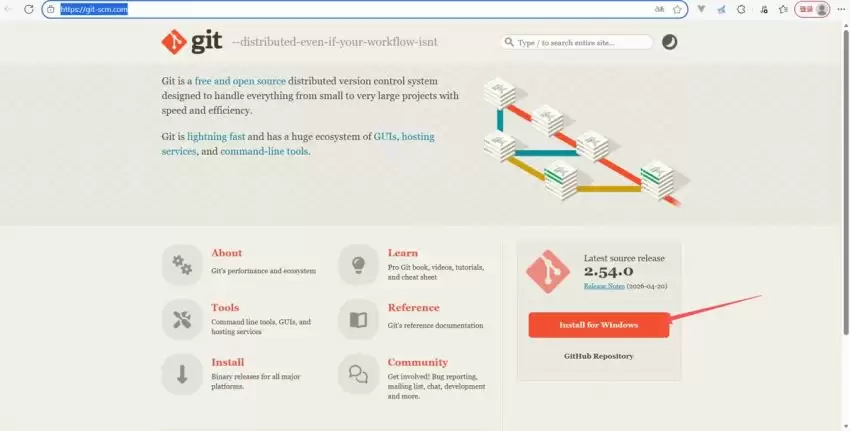
1.4、设置 Git 用户名和邮箱
# 打开 powershell 执行这个命令
git config --global user.name "你的用户名"
git config --global user.email "你的邮箱@example.com"
二、使用 ClaudeCode
2.1、安装 ClaudeCode
# 打开 powershell 执行这个命令
npm install -g @anthropic-ai/claude-code
# 完成后验证是否安装成功
claude --version
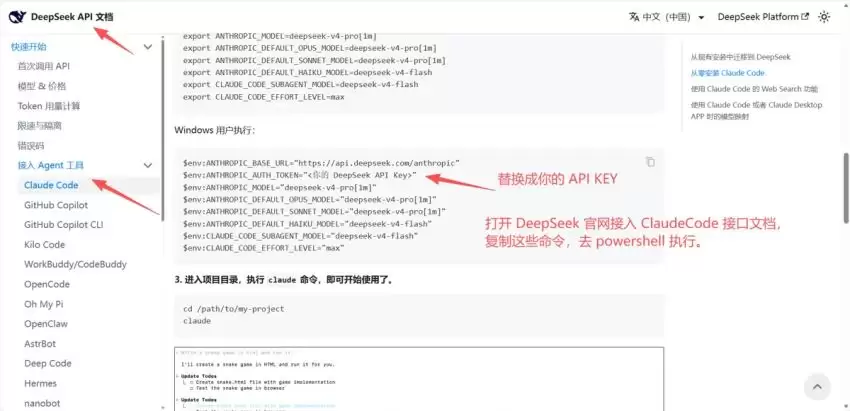
2.2、切换 DeepSeek 大模型
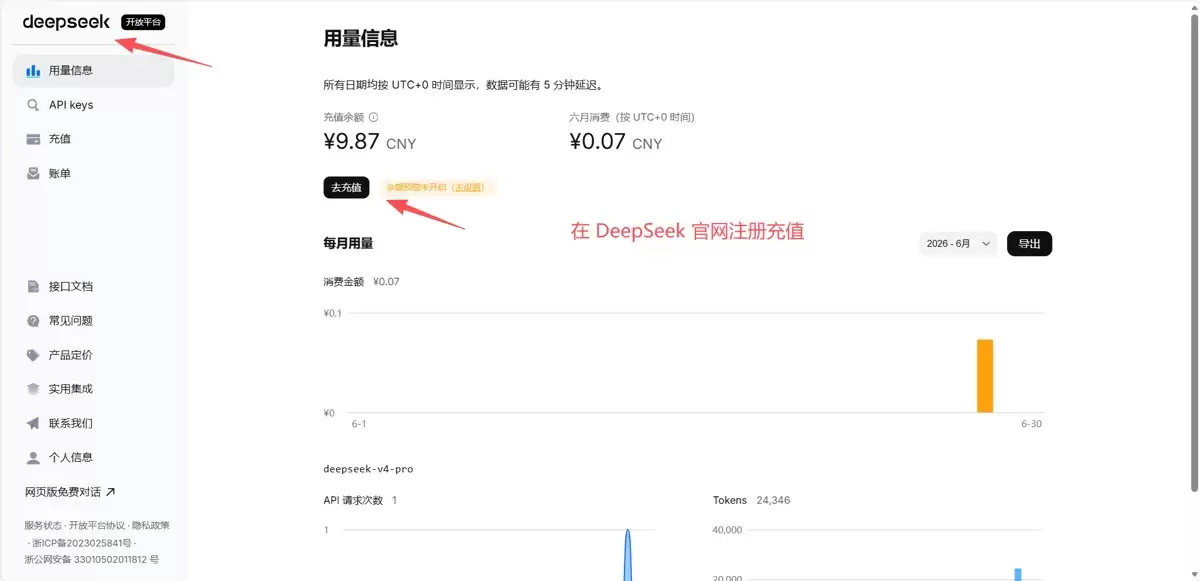
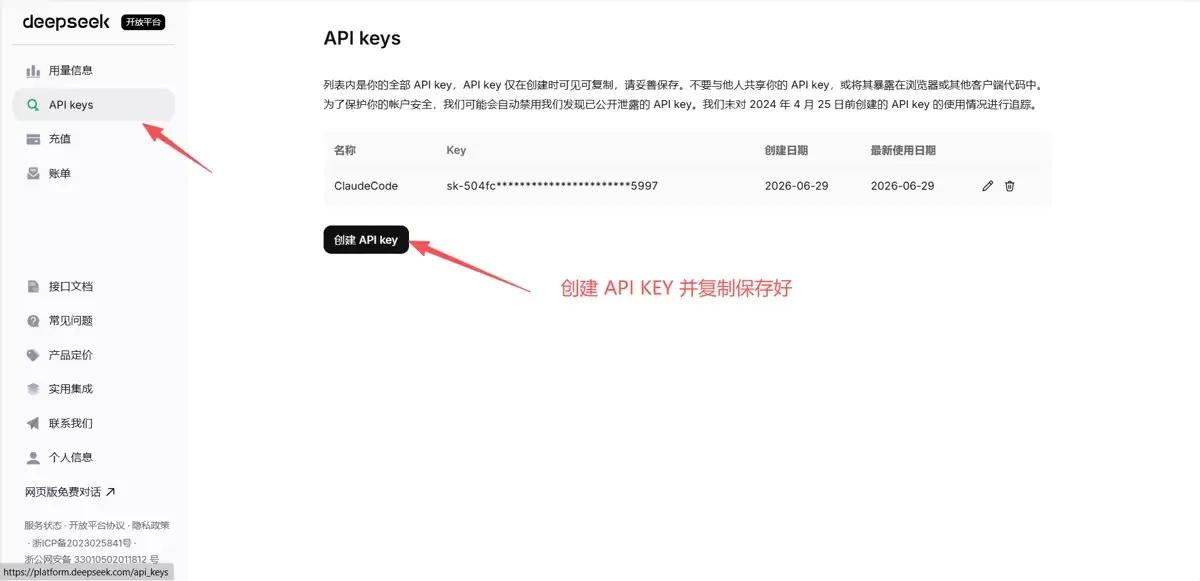
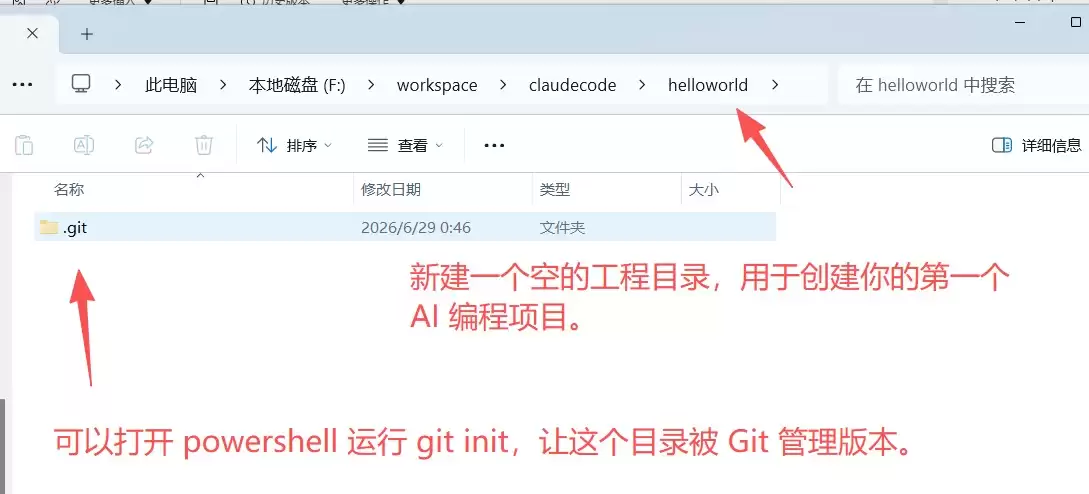
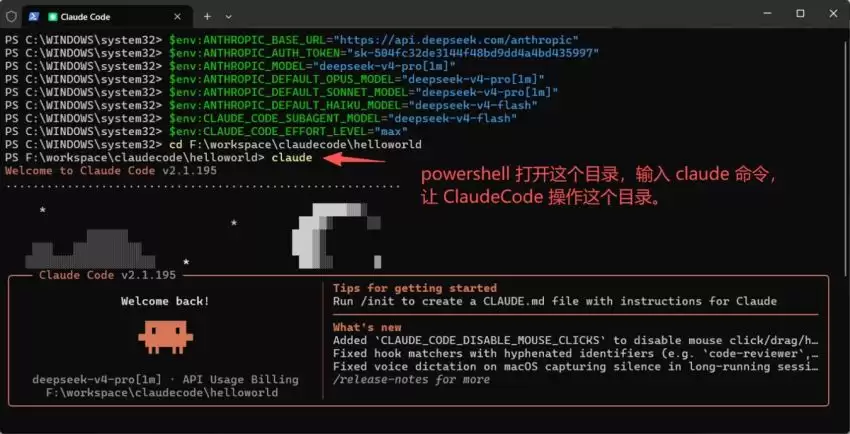
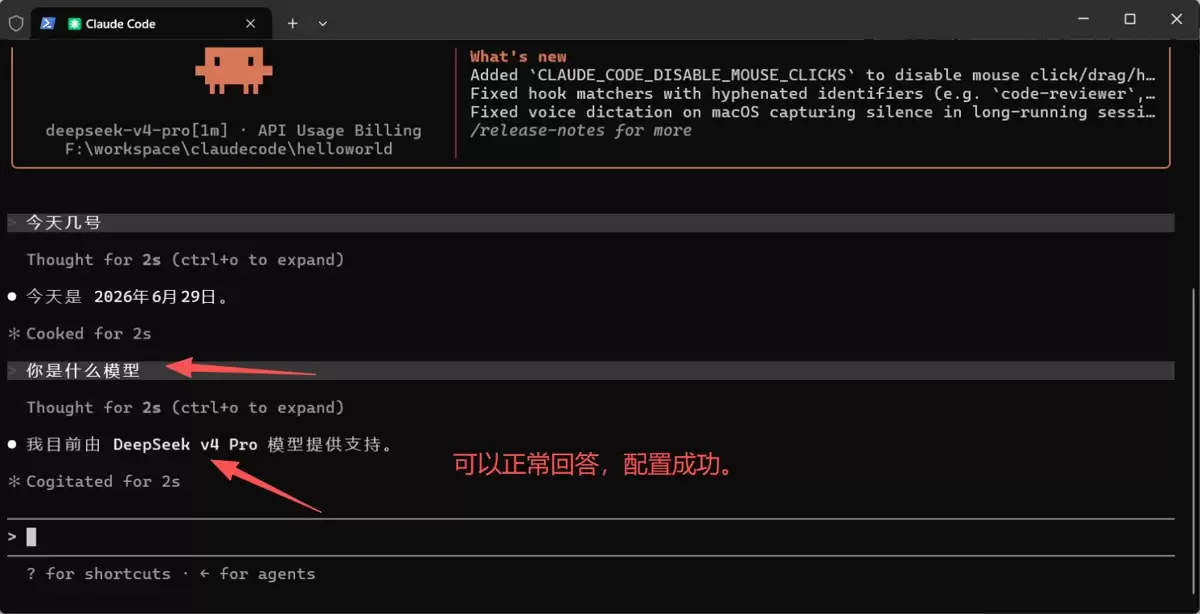
2.3、创建工程目录
相关文章
- 小米路由器默认ip地址是什么(小米路由器默认ip地址详解) 08-22
- 再向多国推进:谷歌 Chrome 浏览器版 Gemini 依然无缘欧盟 08-22
- 三成央企核心系统首选!OceanBase发布“央国企AI一体化数据解决方案” 08-22
- 为什么拼音命名在编程中不被推荐? 08-22
- 写实咏春拳训练视频 08-22
- 红色沙漠修改器下载 红色沙漠风灵月影免费下载 08-22