




最新下载


热门教程
- 1
- 2
- 3
- 4
- 5
- 6
- 7
- 8
- 9
- 10
使用JSP实现简单的用户登录注册页面示例代码解析
时间:2025-07-06 08:55:01 编辑:袖梨 来源:一聚教程网
这篇文章主要介绍了使用JSP实现简单的用户登录注册页面示例代码解析,文中通过示例代码介绍的非常详细,对大家的学习或者工作具有一定的参考学习价值,需要的朋友们下面随着小编来一起学习学习吧
实验要求:
将实验2中的系统用户登录和注册页面改为JSP页面,并部署自己的Web应用于Tomcat服务器中
具体要求:
完成登录JSP页面设计和注册页面设计
在登录页面表单中使用request对象获取用户信息,建立新的JSP页面完成登录验证(用户名和密码自己指定即可)。
验证结果显示(如登录成功/用户名密码错误,可以使用JavaScript,也可以使用新的JSP页面)。
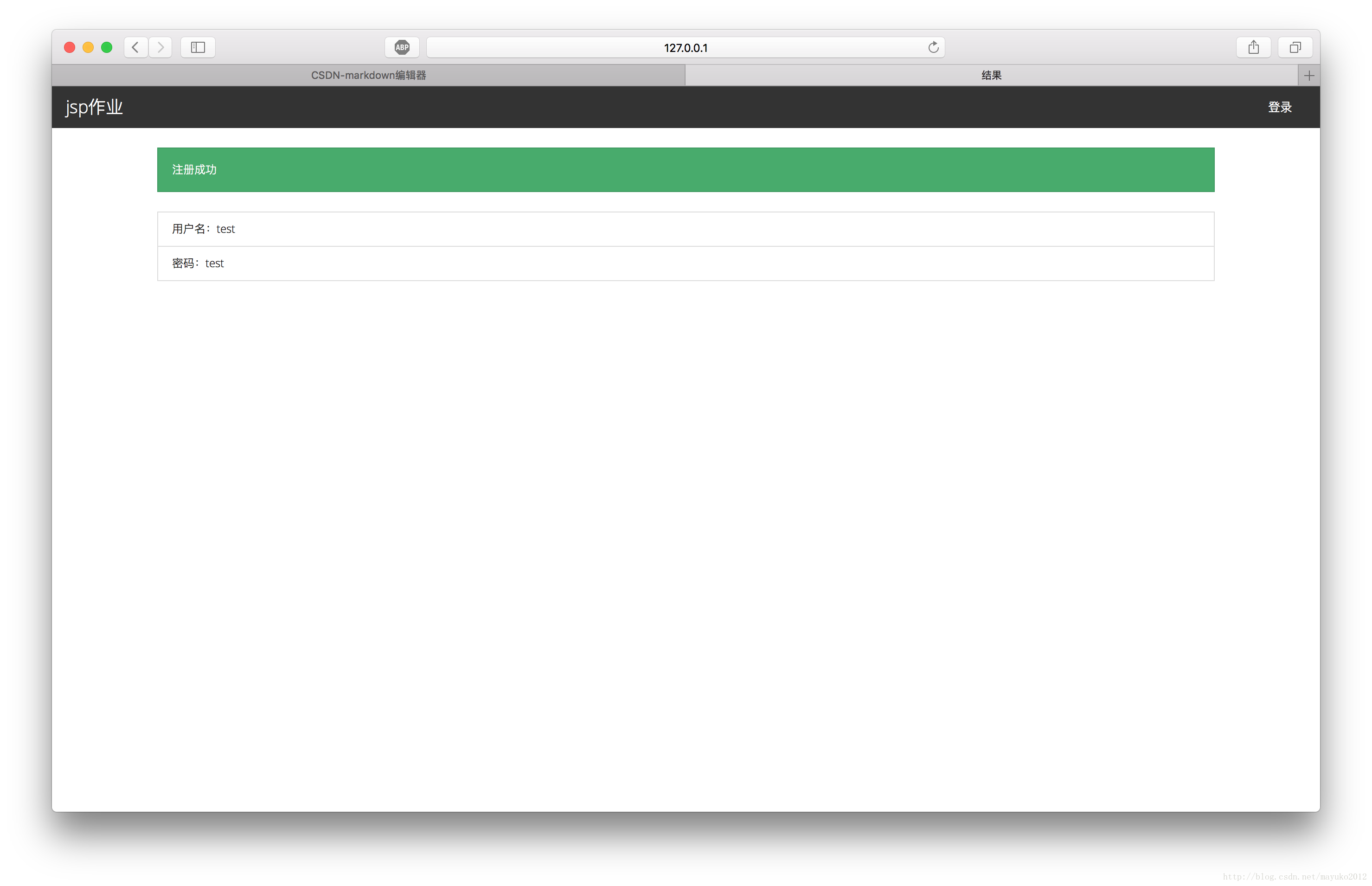
在注册页面表单中使用request对象获取用户注册信息(注册项目由自己指定),在新的JSP页面显示用户注册信息,并提示注册成功。
代码
登录页面index.html
<!DOCTYPE html><html lang="zh-CN"><head> <meta charset="utf-8"> <meta http-equiv="X-UA-Compatible" content="IE=edge"> <meta name="viewport" content="width=device-width, initial-scale=1"> <title>jsp作业</title> <link href="css/bootstrap.min.css" rel="external nofollow" rel="external nofollow" rel="external nofollow" rel="external nofollow" rel="external nofollow" rel="stylesheet"></head><body><nav class="navbar navbar-default"> <div class="container-fluid"><div class="navbar-header"> <a class="navbar-brand" href="./" rel="external nofollow" rel="external nofollow" rel="external nofollow" rel="external nofollow" rel="external nofollow" >jsp作业</a></div><div class="collapse navbar-collapse" id="bs-example-navbar-collapse-1"> <ul class="nav navbar-nav navbar-right"><li><a href="login.jsp" rel="external nofollow" rel="external nofollow" rel="external nofollow" rel="external nofollow" rel="external nofollow" rel="external nofollow" >登录</a></li> </ul></div> </div></nav><div class="container"> <div class="jumbotron"><h1>Hello, world!</h1><p>这是一个jsp作业</p> </div></div></body></html>
登录页面login.jsp
<%@ page contentType="text/html; charset=utf-8" language="java"%><html lang="zh-CN"><head> <meta charset="utf-8"> <meta http-equiv="X-UA-Compatible" content="IE=edge"> <meta name="viewport" content="width=device-width, initial-scale=1"> <title>登录</title> <link href="css/bootstrap.min.css" rel="external nofollow" rel="external nofollow" rel="external nofollow" rel="external nofollow" rel="external nofollow" rel="stylesheet"></head><body><nav class="navbar navbar-default"> <div class="container-fluid"><div class="navbar-header"> <a class="navbar-brand" href="./" rel="external nofollow" rel="external nofollow" rel="external nofollow" rel="external nofollow" rel="external nofollow" >jsp作业</a></div><div class="collapse navbar-collapse" id="bs-example-navbar-collapse-1"> <ul class="nav navbar-nav navbar-right"><li><a href="login.jsp" rel="external nofollow" rel="external nofollow" rel="external nofollow" rel="external nofollow" rel="external nofollow" rel="external nofollow" >登录</a></li> </ul></div> </div></nav><div class="container"> <div class="row"><div class="col-md-4"></div><div class="col-md-4"> <form class="form-signin" method="post" action="login-check.jsp"><h2 class="form-signin-heading">登录到jsp作业</h2><label for="">用户名</label><input type="text" name="username" id="username" class="form-control" placeholder="请输入用户名" required autofocus><br><label for="">密码</label><input type="password" name="password" id="password" class="form-control" placeholder="请输入密码" required><div class="checkbox"> <label><input type="checkbox" value="remember-me" checked="checked"> 记住密码 </label></div><button type="submit" class="btn btn-primary" id="btn-login">登录</button><a href="reg.jsp" rel="external nofollow" rel="external nofollow" class="btn btn-default">注册</a> </form></div><div class="col-md-4"></div> </div></body></html>
登录结果页面login-check.jsp
<%@ page contentType="text/html; charset=utf-8" language="java"%><html lang="zh-CN"><head> <meta charset="utf-8"> <meta http-equiv="X-UA-Compatible" content="IE=edge"> <meta name="viewport" content="width=device-width, initial-scale=1"> <title>登录</title> <link href="css/bootstrap.min.css" rel="external nofollow" rel="external nofollow" rel="external nofollow" rel="external nofollow" rel="external nofollow" rel="stylesheet"></head><body><nav class="navbar navbar-default"> <div class="container-fluid"><div class="navbar-header"> <a class="navbar-brand" href="./" rel="external nofollow" rel="external nofollow" rel="external nofollow" rel="external nofollow" rel="external nofollow" >jsp作业</a></div><div class="collapse navbar-collapse" id="bs-example-navbar-collapse-1"> <ul class="nav navbar-nav navbar-right"><li><a href="login.jsp" rel="external nofollow" rel="external nofollow" rel="external nofollow" rel="external nofollow" rel="external nofollow" rel="external nofollow" >登录</a></li> </ul></div> </div></nav><div class="container"> <div class="row"><div class="col-md-4"></div><div class="col-md-4"> <form class="form-signin" method="post" action="login-check.jsp"><h2 class="form-signin-heading">登录到jsp作业</h2><label for="">用户名</label><input type="text" name="username" id="username" class="form-control" placeholder="请输入用户名" required autofocus><br><label for="">密码</label><input type="password" name="password" id="password" class="form-control" placeholder="请输入密码" required><div class="checkbox"> <label><input type="checkbox" value="remember-me" checked="checked"> 记住密码 </label></div><button type="submit" class="btn btn-primary" id="btn-login">登录</button><a href="reg.jsp" rel="external nofollow" rel="external nofollow" class="btn btn-default">注册</a> </form></div><div class="col-md-4"></div> </div></body></html>
注册页面reg.jsp
<%@ page contentType="text/html; charset=utf-8" language="java"%><html lang="zh-CN"><head> <meta charset="utf-8"> <meta http-equiv="X-UA-Compatible" content="IE=edge"> <meta name="viewport" content="width=device-width, initial-scale=1"> <title>注册</title> <link href="css/bootstrap.min.css" rel="external nofollow" rel="external nofollow" rel="external nofollow" rel="external nofollow" rel="external nofollow" rel="stylesheet"></head><body><nav class="navbar navbar-default"> <div class="container-fluid"><div class="navbar-header"> <a class="navbar-brand" href="./" rel="external nofollow" rel="external nofollow" rel="external nofollow" rel="external nofollow" rel="external nofollow" >jsp作业</a></div><div class="collapse navbar-collapse" id="bs-example-navbar-collapse-1"> <ul class="nav navbar-nav navbar-right"><li><a href="login.jsp" rel="external nofollow" rel="external nofollow" rel="external nofollow" rel="external nofollow" rel="external nofollow" rel="external nofollow" >登录</a></li> </ul></div> </div></nav><div class="container"> <div class="row"><div class="col-md-4"></div><div class="col-md-4"> <form class="form-signin" action="reg-submit.jsp" method="post"><h2 class="form-signin-heading">注册到jsp作业</h2><div id="info"></div><label for="">用户名</label><input type="text" name="username" id="username" class="form-control" placeholder="请输入用户名" required autofocus><br><label for="">密码</label><input type="password" name="password" id="password" class="form-control" placeholder="请输入密码" required><br><label for="">重复密码</label><input type="password" name="password2" id="password2" class="form-control" placeholder="请再次输入密码" required maxLength="16"><br><button type="submit" class="btn btn-primary" id="btn-reg">注册</button><a href="login.jsp" rel="external nofollow" rel="external nofollow" rel="external nofollow" rel="external nofollow" rel="external nofollow" rel="external nofollow" class="btn btn-default" id="btn-reg">返回登录</a> </form></div><div class="col-md-4"></div> </div></body></html>
注册结果页面reg-submit.jsp
<%@ page contentType="text/html; charset=utf-8" language="java"%><html lang="zh-CN"><head> <meta charset="utf-8"> <meta http-equiv="X-UA-Compatible" content="IE=edge"> <meta name="viewport" content="width=device-width, initial-scale=1"> <title>结果</title> <link href="css/bootstrap.min.css" rel="external nofollow" rel="external nofollow" rel="external nofollow" rel="external nofollow" rel="external nofollow" rel="stylesheet"></head><body><nav class="navbar navbar-default"> <div class="container-fluid"><div class="navbar-header"> <a class="navbar-brand" href="./" rel="external nofollow" rel="external nofollow" rel="external nofollow" rel="external nofollow" rel="external nofollow" >jsp作业</a></div><div class="collapse navbar-collapse" id="bs-example-navbar-collapse-1"> <ul class="nav navbar-nav navbar-right"><li><a href="login.jsp" rel="external nofollow" rel="external nofollow" rel="external nofollow" rel="external nofollow" rel="external nofollow" rel="external nofollow" >登录</a></li> </ul></div> </div></nav><div class="container"> <% String username = request.getParameter("username"); String password = request.getParameter("password");String password2 = request.getParameter("password2");%> <% if(password.equals(password2)){out.println("<div class='alert alert-success' role='alert'>注册成功</div>");out.println("<ul class='list-group'>");out.println("<li class='list-group-item'>用户名:" + username + "</li>");out.println("<li class='list-group-item'>密码:" + password + "</li>");out.println("</ul>"); } else{out.println("<div class='alert alert-danger' role='alert'>两次密码输入不一致,请重新输入</div>"); } %> <!-- <%=username %> <%=password %> <%=password2 %> --></div>
效果
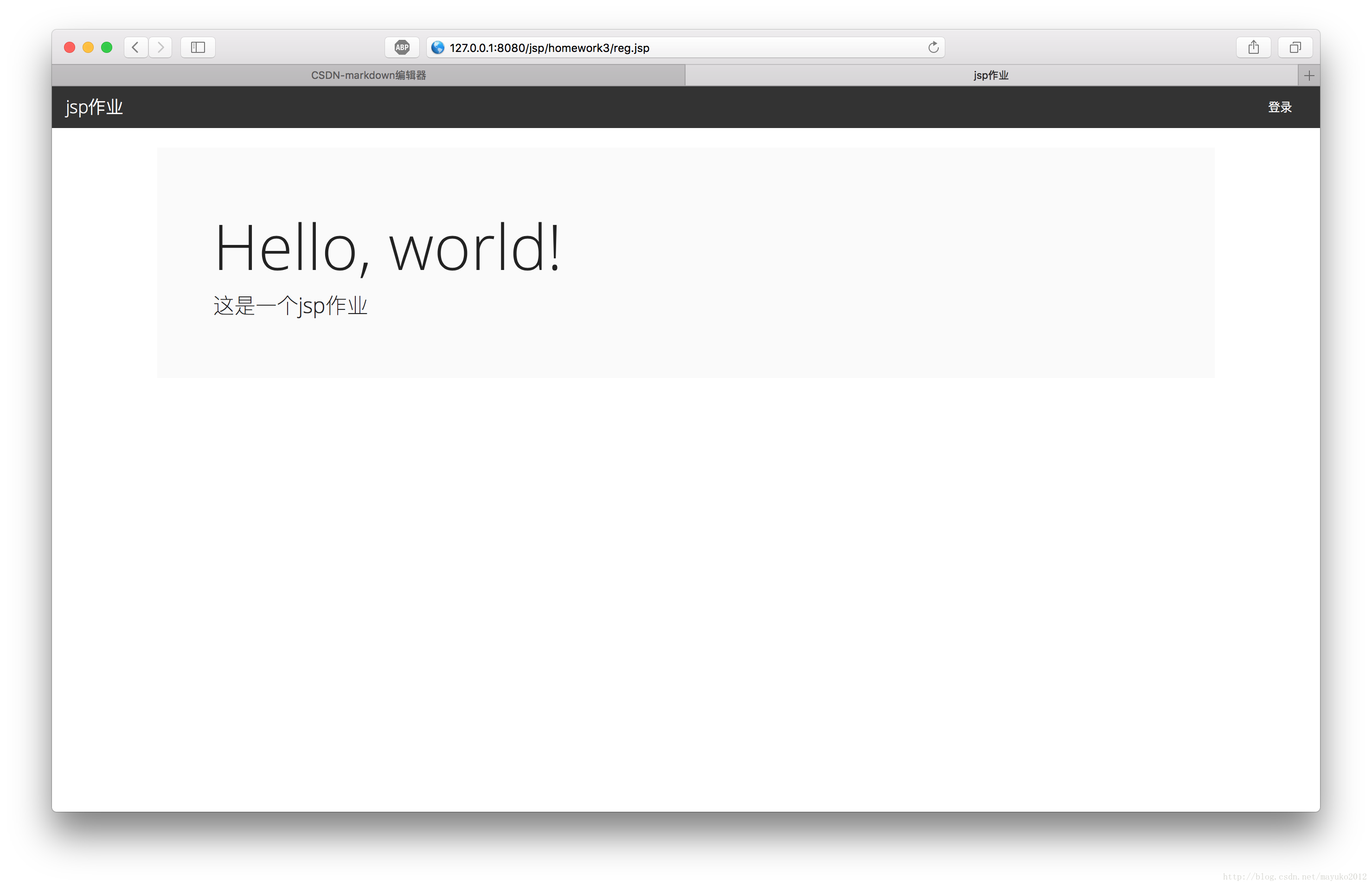
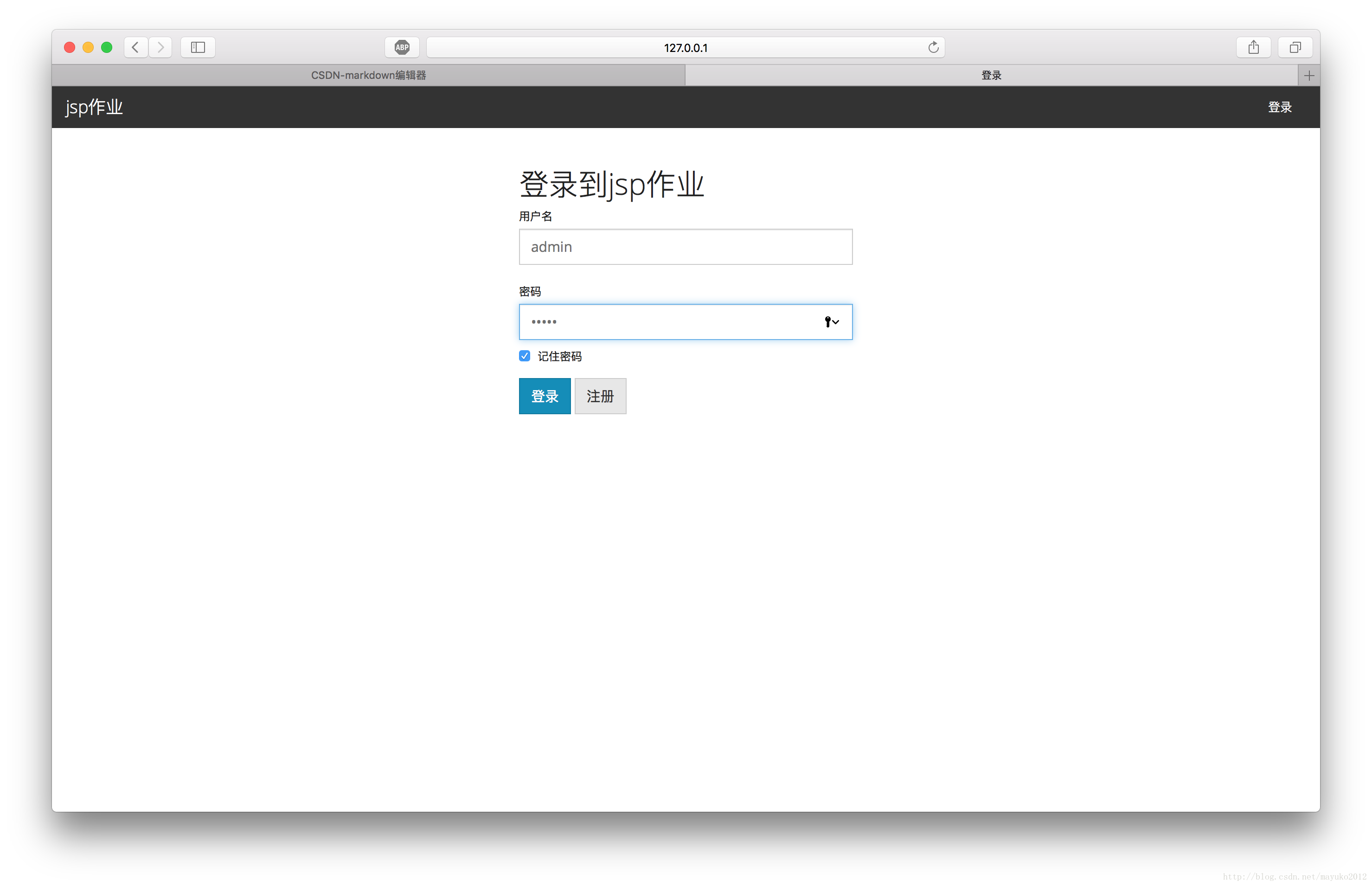
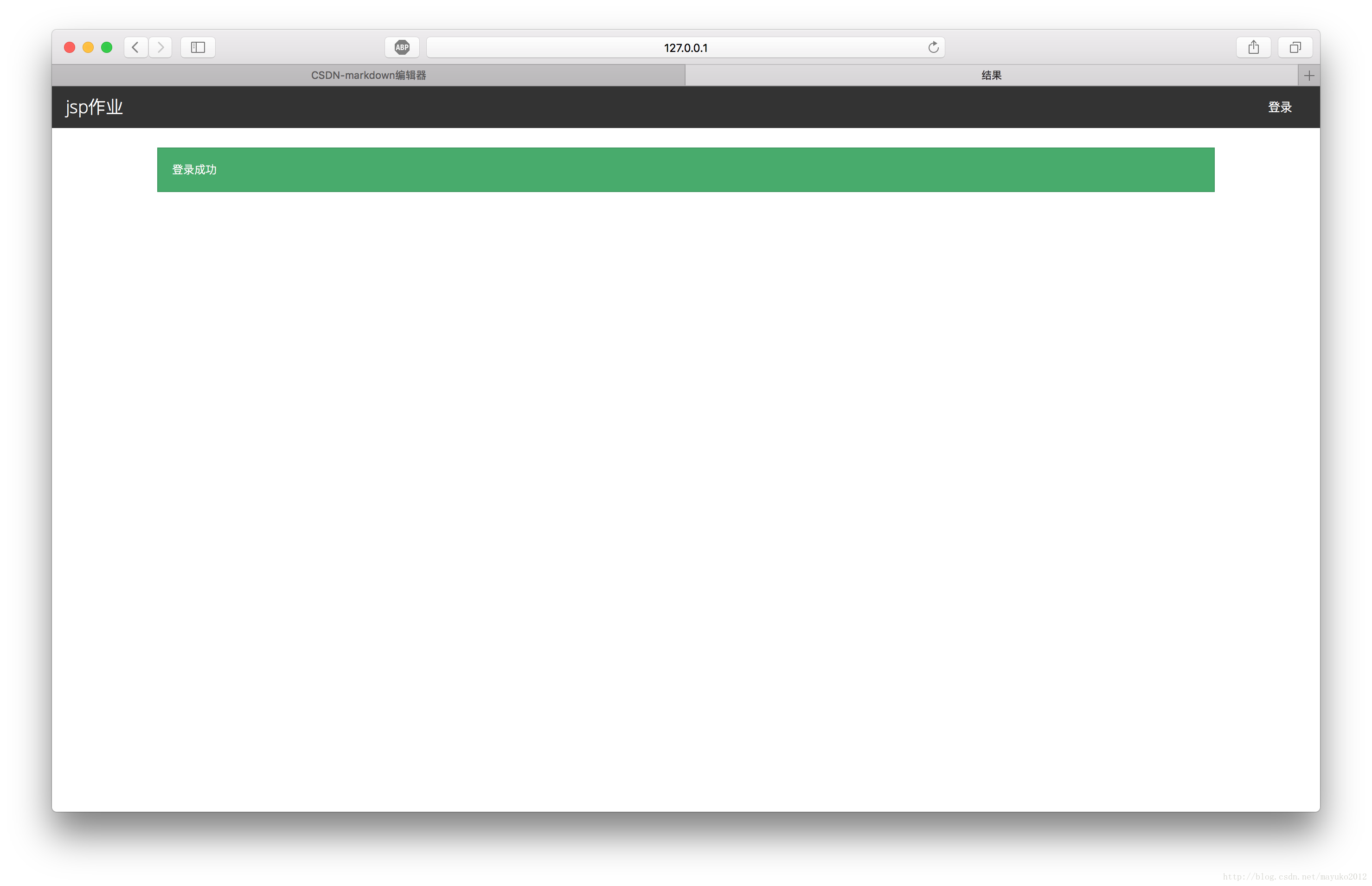
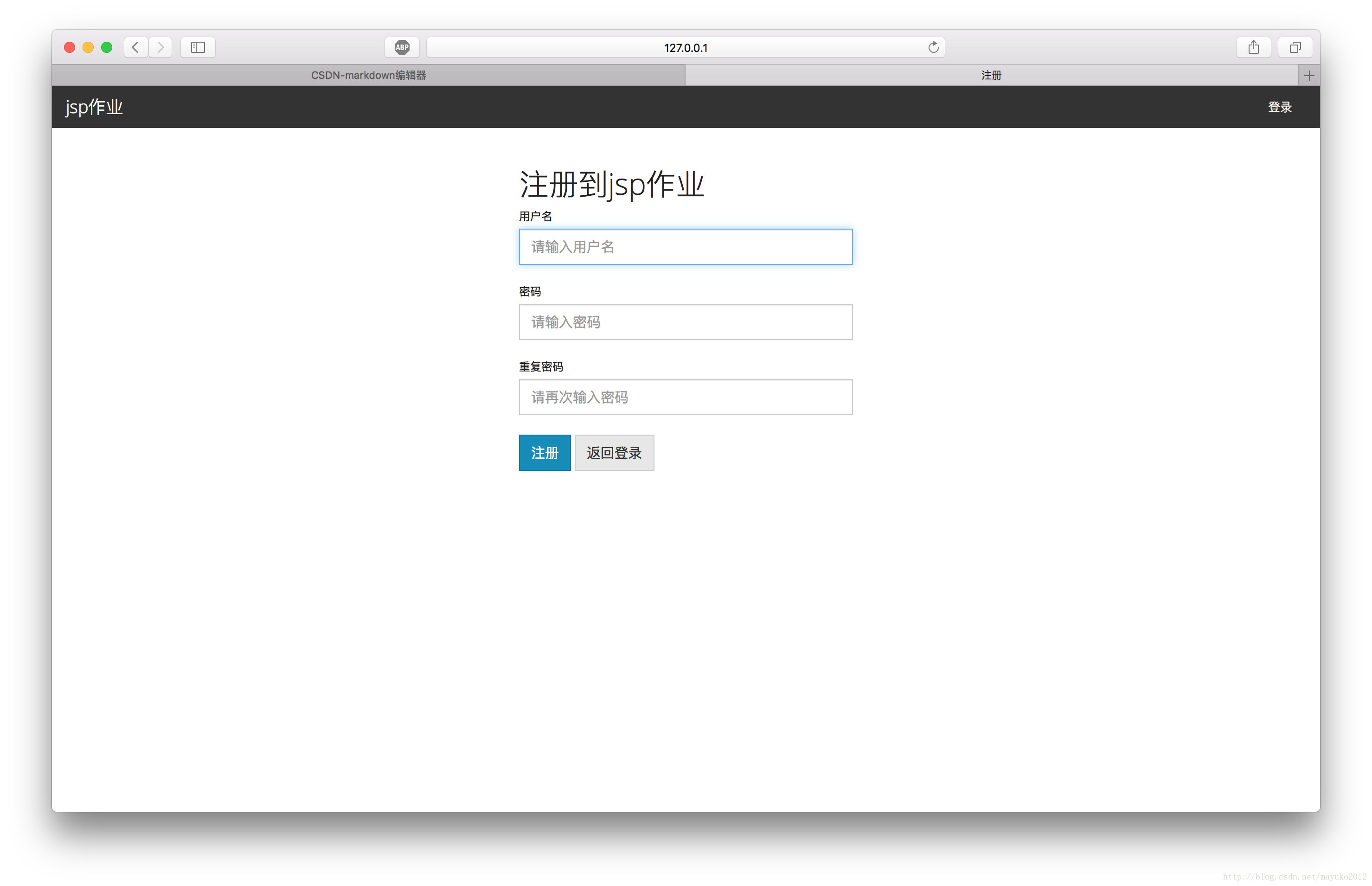
到此这篇关于使用JSP实现简单的用户登录注册页面示例代码解析的文章就介绍到这了,更多相关JSP实现简单的用户登录注册页面内容请搜索一聚教程网以前的文章或继续浏览下面的相关文章希望大家以后多多支持一聚教程网!
相关文章
- moses:实践指南 09-10
- lalboard:实践指南 09-10
- langchain-rag-tutorial:实践指南 09-10
- 植物大战僵尸3最后一关打法有哪些重点-关键信息和实际影响 09-10
- clonezilla:实践指南 09-10
- DUNE:实践指南 09-10