




最新下载


热门教程
- 1
- 2
- 3
- 4
- 5
- 6
- 7
- 8
- 9
- 10
使用postman操作ElasticSearch代码方法
时间:2022-06-25 02:54:17 编辑:袖梨 来源:一聚教程网
本篇文章小编给大家分享一下使用postman操作ElasticSearch代码方法,文章代码介绍的很详细,小编觉得挺不错的,现在分享给大家供大家参考,有需要的小伙伴们可以来看看。
Postman的操作环境
postman适用于不同的操作系统,Postman Mac、Windows X32、Windows X64、Linux系统,还支持postman 浏览器扩展程序、postman chrome应用程序等。
下面给大家介绍使用postman操作ElasticSearch的方法,具体内容如下所示:
下载安装好postman之后
添加索引blog1(因为ElasticSearch是restful请求所以我们用postman发送http请求给ElasticSearch)
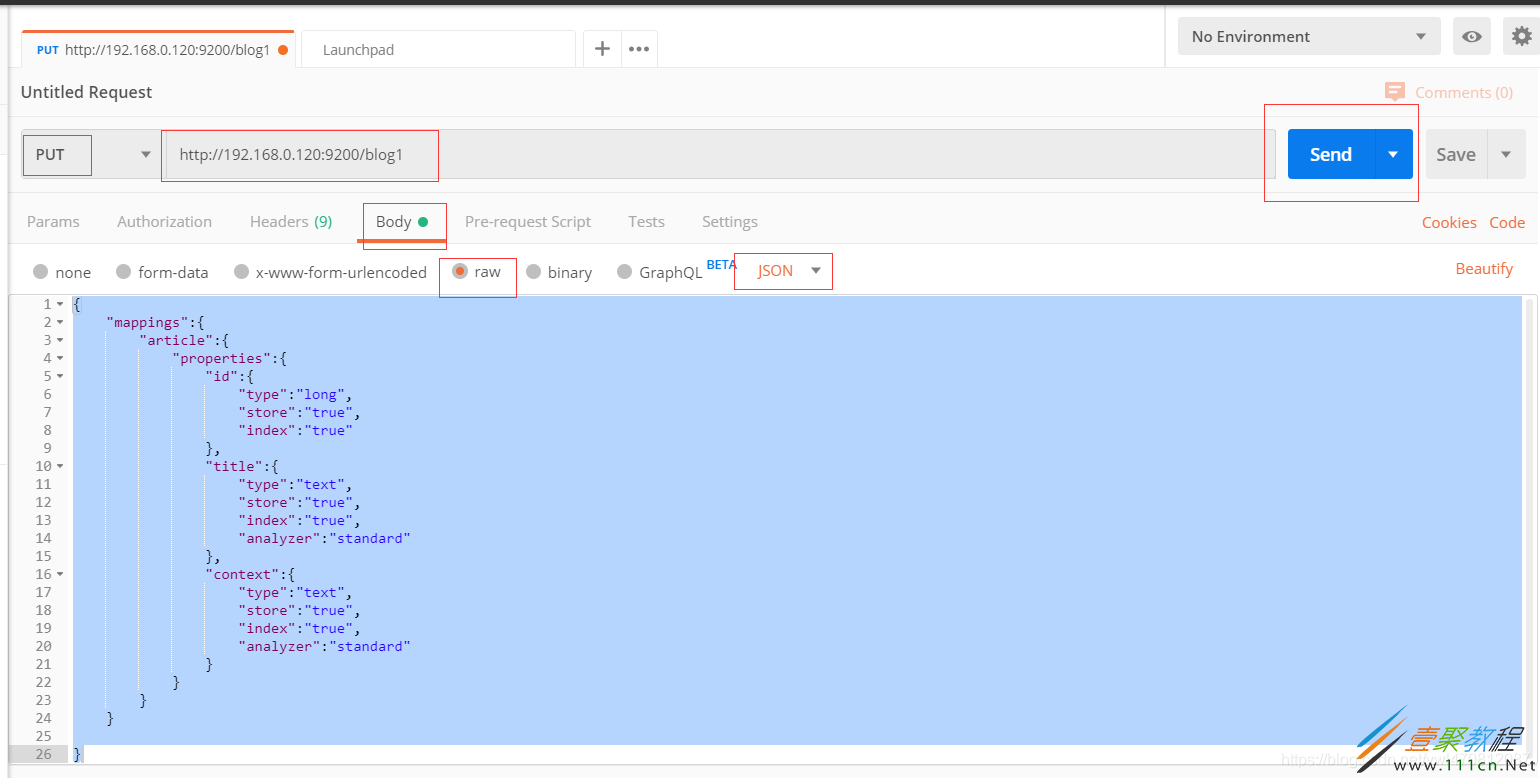
{
 "mappings":{
 "article":{
  "properties":{
  "id":{
   "type":"long",
   "store":"true",
   "index":"true"
  },
  "title":{
   "type":"text",
   "store":"true",
   "index":"true",
   "analyzer":"standard"
  },
  "context":{
   "type":"text",
   "store":"true",
   "index":"true",
   "analyzer":"standard"
响应成功
