




最新下载


热门教程
- 1
- 2
- 3
- 4
- 5
- 6
- 7
- 8
- 9
- 10
iOS字体抖动动画的实现代码
时间:2022-06-29 01:27:37 编辑:袖梨 来源:一聚教程网
一、效果图
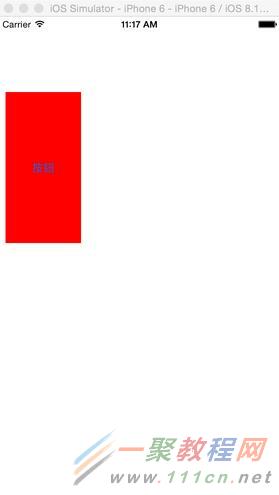
二、代码
| 代码如下 | 复制代码 |
ViewController.m #import"ViewController.h"
@interfaceViewController ()
@end
@implementationViewController
- (void)viewDidLoad { [superviewDidLoad]; // Do any additional setup after loading the view, typically from a nib.
UIButton *button=[UIButton buttonWithType:UIButtonTypeRoundedRect]; button.frame=CGRectMake(10,100,100,200); button.backgroundColor=[UIColor redColor]; [button setTitle:@"按钮"forState:UIControlStateNormal]; [self.view addSubview:button];
//按钮的动画效果 [self buttonAnimation:button];
}
//按钮出现的时候有一个动画效果 - (void)buttonAnimation:(UIButton *)sender { CAKeyframeAnimation *animation = [CAKeyframeAnimation animationWithKeyPath:@"transform"];
CATransform3D scale1 = CATransform3DMakeScale(0.5,0.5,1); CATransform3D scale2 = CATransform3DMakeScale(1.2,1.2,1); CATransform3D scale3 = CATransform3DMakeScale(0.9,0.9,1); CATransform3D scale4 = CATransform3DMakeScale(1.0,1.0,1);
NSArray *frameValues = [NSArray arrayWithObjects: [NSValue valueWithCATransform3D:scale1], [NSValue valueWithCATransform3D:scale2], [NSValue valueWithCATransform3D:scale3], [NSValue valueWithCATransform3D:scale4], nil];
[animation setValues:frameValues];
NSArray *frameTimes = [NSArray arrayWithObjects: [NSNumber numberWithFloat:0.0], [NSNumber numberWithFloat:0.5], [NSNumber numberWithFloat:0.9], [NSNumber numberWithFloat:1.0], nil]; [animation setKeyTimes:frameTimes];
animation.fillMode = kCAFillModeForwards; animation.duration =0.3f;
[sender.layer addAnimation:animation forKey:@"DSPopUpAnimation"]; } | |
相关文章
- SimpleSvmHook:实践指南 09-10
- 灵兽大冒险地府怎么处理-任务条件和触发条件 09-10
- tplink1200g如何设置无线密码(tplink1200g设置无线密码方法) 09-10
- 灵兽大冒险葫芦在哪里在哪有哪些重点-关键信息和实际影响 09-10
- 江湖悠悠食谱配方整理汇总-主要信息和内容重点 09-10
- 灵兽大冒险装备打造流程是什么-概念边界和适用条件 09-10