




最新下载


热门教程
- 1
- 2
- 3
- 4
- 5
- 6
- 7
- 8
- 9
- 10
使用Element+vue实现开始与结束时间限制代码示例
时间:2022-06-29 02:13:12 编辑:袖梨 来源:一聚教程网
本篇文章小编给大家分享一下使用Element+vue实现开始与结束时间限制代码示例,文章代码介绍的很详细,小编觉得挺不错的,现在分享给大家供大家参考,有需要的小伙伴们可以来看看。
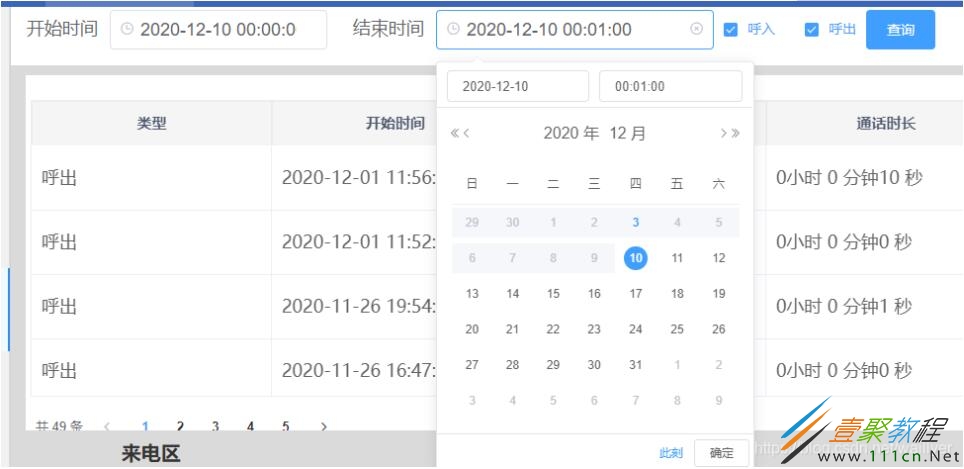
效果
pickerOptionsStart: {},
pickerOptionsEnd: {},
startDate: '',
endDate: '',

 changeStart() { // 限制开始时间
        if (this.endDate != '') {
          if (this.endDate <= this.startDate) {
            this.$message.warning('结束时间必须大于开始时间!');
            this.startDate = '';
          }
        }
        this.pickerOptionsEnd = Object.assign({}, this.pickerOptionsEnd, {
          disabledDate: (time) => {
            if (this.startDate) {
              return time.getTime() < this.startDate;
            }
          },
        });
      },

      changeEnd() { // 限制结束时间
        console.log(this.endDate);
        if (this.startDate != '') {
          if (this.endDate <= this.startDate) {
            this.$message.warning('结束时间必须大于开始时间!');
            this.endDate = '';
          }
        }

        this.pickerOptionsStart = Object.assign({}, this.pickerOptionsStart, {
          disabledDate: (time) => {
            if (this.endDate) {
              return time.getTime() > this.endDate;
            }
          },
        });
      },
相关文章
- 漫蛙漫画官方入口-漫蛙漫画在线免费观看官网 10-27
- poki小游戏在线入口-poki免费游戏大全 10-27
- 豆包网页版入口官网-豆包官网网址入口 10-27
- 红果短剧官网在线入口-红果剧场高清网页版下载观看 10-27
- 剪映网页版登录-剪映官网入口直达 10-27
- 即梦官网网页版入口-即梦AI官方登录入口 10-27