




最新下载


热门教程
- 1
- 2
- 3
- 4
- 5
- 6
- 7
- 8
- 9
- 10
CMD操作oracle数据导库过程代码图解
时间:2022-06-29 09:24:04 编辑:袖梨 来源:一聚教程网
本篇文章小编给大家分享一下CMD操作oracle数据导库过程代码图解,文章介绍的很详细,小编觉得挺不错的,现在分享给大家供大家参考,有需要的小伙伴们可以来看看。
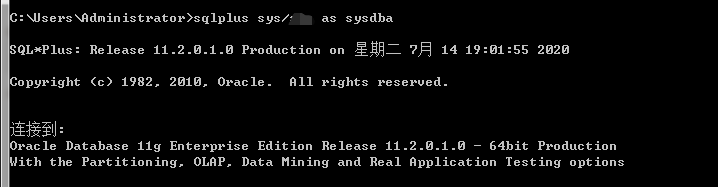
1.cmd窗口下,登陆管理员用户:sqlplus sys/1 as sysdba
2.创建新用户并为用户授权:
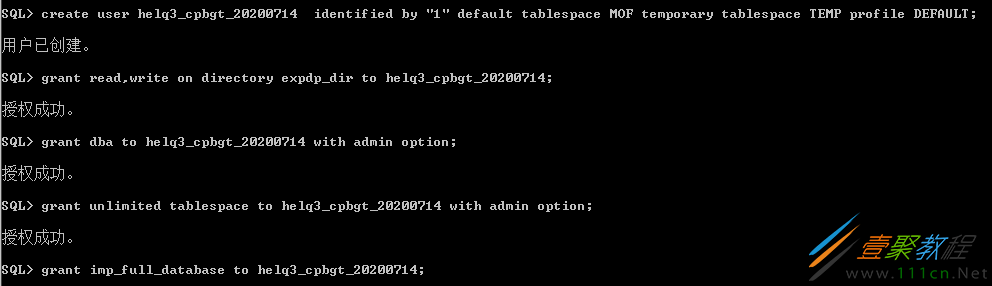
(1)创建用户
---Create the user
create user Helq3_Pro
identified by "1"
default tablespace MOF
temporary tablespace TEMP
profile DEFAULT;
(2)为用户授权
SQL> grant dba to helq3_cpbgt_20200714 with admin option;
SQL> grant unlimited tablespace to helq3_cpbgt_20200714 with admin option;
SQL> grant imp_full_database to helq3_cpbgt_20200714;
3.数据导入
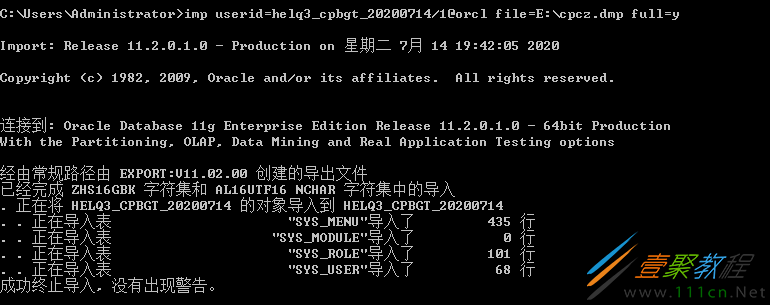
(1)imp导入:
imp userid=helq3_cpbgt_20200714/1@orcl file=E:cpcz.dmp full=yignore=y
(2)数据泵导入impdp
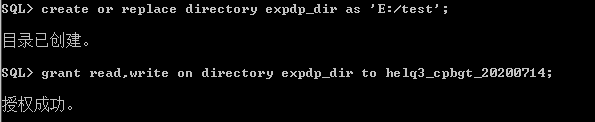
首先,创建,并为用户授权此文件夹
数据泵导入:
impdp helq3_cpbgt_20200714/1 dumpfile=cpcz.dmp directory=expdp_dir remap_schema=helq3_cpbgt_20200714(导出时的用户名):helq3_cpbgt_20200714

4.数据导出
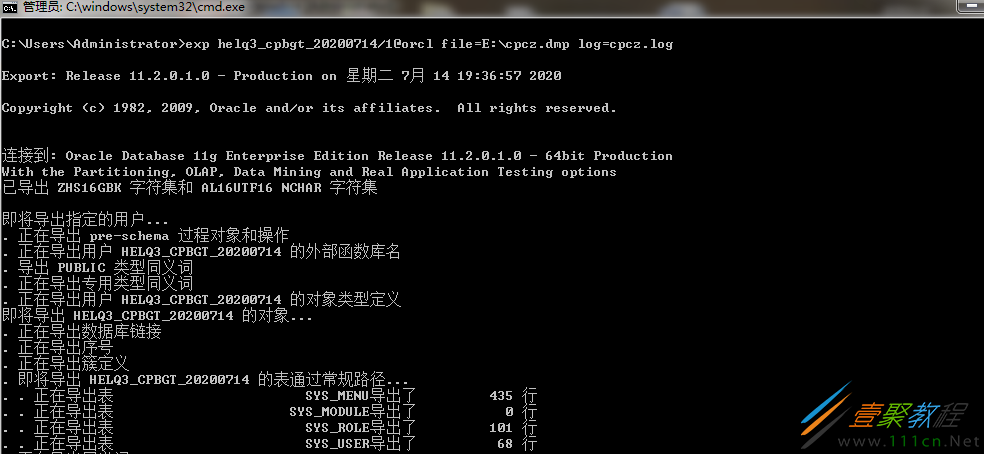
(1)exp导出:
exp helq3_cpbgt_20200714/1@orcl file=E:cpcz.dmp log=cpcz.log
导出带空表的数据库->先做查询,再正常导出:
select 'alter table '||table_name||' allocate extent;' from user_tables where num_rows=0;
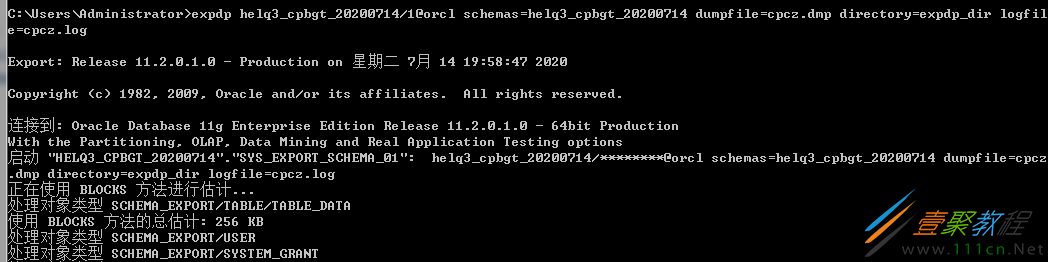
(2)expdp 数据泵导出:
expdp helq3_cpbgt_20200714/1@orclschemas=helq3_cpbgt_20200714 dumpfile=cpcz.dmp directory=expdp_dir logfile=cpcz.log
相关文章
- 飞猪客服电话是多少-飞猪机票24小时人工服务热线 10-15
- Hermes Agent MCP配置指南:从安装到调用Agent工具包全流程完整指南 10-15
- jm浏览器官网进入-jm网页版官方入口 10-15
- erolabs实验室官网登录入口-erolabs实验室官网登录链接直达 10-15
- jm漫画-官方正版网页入口 10-15
- 豆包官网网页版入口-豆包在线使用网页版 10-15