




最新下载


热门教程
- 1
- 2
- 3
- 4
- 5
- 6
- 7
- 8
- 9
- 10
利用纯CSS制作冒泡提示框效果
时间:2022-06-25 09:31:47 编辑:袖梨 来源:一聚教程网
先看2张效果图:
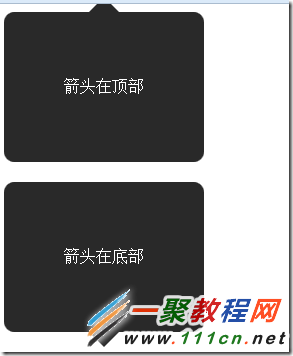

CSS:
| 代码如下 | 复制代码 |
|
/* Hi there
*/ .speech-bubble { position: relative; background-color: #292929; width: 200px; height: 150px; line-height: 150px; /* 垂直居中 */ color: white; text-align: center; border-radius: 10px; font-family: sans-serif; } .speech-bubble:after { content: ''; position: absolute; width: 0; height: 0; border: 15px solid; } /* 箭头的位置 */ .speech-bubble-top:after { border-bottom-color: #292929; left: 50%; bottom: 100%; margin-left: -15px; } .speech-bubble-right:after { border-left-color: #292929; left: 100%; top: 50%; margin-top: -15px; } .speech-bubble-bottom:after { border-top-color: #292929; top: 100%; left: 50%; margin-left: -15px; } .speech-bubble-left:after { border-right-color: #292929; top: 50%; right: 100%; margin-top: -15px; } HTML:
箭头在顶部 箭头在底部 箭头在左侧 箭头在右侧 |
|
这个只用到了css没用到有图片哦。